
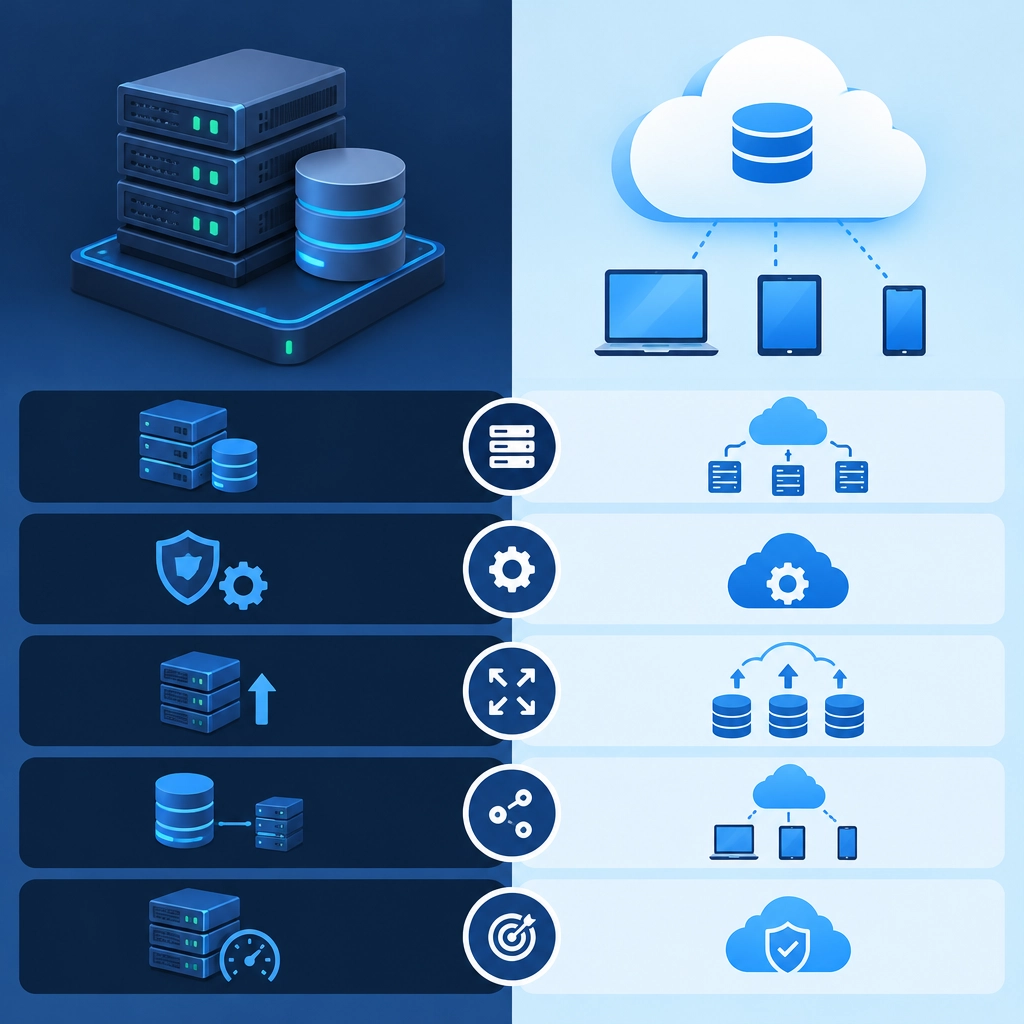
Storage VPS vs. Cloud Storage: Key Differences
Running out of space is easy. Choosing what to replace it with can be harder. Two common options—storage VPS and cloud storage—both keep your data online, but they work in different ways and suit different needs.
The key difference is control. A storage VPS gives you a virtual server with disk space that you manage. Cloud storage is usually a managed service designed to store, retrieve, and share files without requiring you to run a server. Here’s how to decide which approach fits.
What Is a Storage VPS?
A storage VPS is a virtual private server configured with substantial disk space. You typically rent it from a hosting provider and connect to it over the internet. You might use it for backups, file hosting, media libraries, private cloud software, or storing application data.
Because it’s a server, you choose how to use it. You can install software, configure access, and set up services such as FTP, SFTP, or a self-hosted file platform. That flexibility is useful—but it also means you’re responsible for more of the setup and maintenance.
What Is Cloud Storage?
Cloud storage is a managed service that stores data across a provider’s infrastructure. Examples include file-syncing services for everyday documents and object storage services for applications, archives, and large collections of files.
The provider handles much of the underlying infrastructure. Depending on the service, you may upload files through an app, web interface, or API, then access them from different devices or software. Some cloud storage services also offer features such as file versioning, sharing links, lifecycle rules, and geographic redundancy.
The Key Differences
Control and setup
With a storage VPS, you generally get more control over the operating system, software, and access rules. That makes it attractive if you want a custom setup or need to run a specific application.
Cloud storage is usually simpler to get started with. You don’t need to maintain a server just to upload files, though advanced options may take some learning. In exchange for convenience, you have less control over the provider’s underlying systems.
Maintenance and security
A VPS needs ongoing care. You may need to apply updates, manage user accounts, configure firewalls, monitor disk usage, and plan backups. Security depends partly on how well you handle those tasks.
Cloud storage shifts much of the infrastructure maintenance to the provider. That doesn’t mean security is automatic: you still need strong account protection, careful permissions, and sensible sharing settings. It also pays to understand the provider’s retention and recovery features.
Pricing
A storage VPS often has a predictable monthly price based on the server plan. This can be cost-effective if you need a large amount of storage and know your usage will remain fairly steady. However, the advertised price may not include every cost, such as extra backups, traffic, or setup time.
Cloud storage pricing varies. Some plans charge by the amount stored, while others may also charge for data transfers, requests, or retrieval. It can be economical for flexible or occasional use, but costs can rise if you store a lot or frequently move large amounts of data. Check the pricing details before committing.
Scaling and reliability
With a VPS, expanding capacity may involve upgrading the plan or moving data to a different server. How easy that is depends on the host and how your server is configured.
Cloud storage is often designed to scale as your needs change, without you managing additional disks. Many services also spread data across multiple systems, but the exact durability, availability, and recovery options depend on the provider and plan. It’s worth checking those guarantees rather than assuming all cloud storage works the same way.
Access and performance
A VPS can be useful when you need a server that runs continuously or serves files through a setup you control. Performance depends on the server’s resources, network connection, and configuration.
Cloud storage can make files easy to access across devices and applications, especially when it includes built-in sync or sharing tools. For applications, object storage may be a better fit than a traditional file-sharing service. In either case, upload and download speed depend on your internet connection and the provider’s infrastructure.
Which Should You Choose?
Choose a storage VPS if you want more control, are comfortable managing a server, and need a flexible place to run software or host files. Choose cloud storage if you prefer a managed service, want simple access and sharing, or need storage that can grow without server administration.
You don’t necessarily have to pick just one. A VPS can run a private file platform, while cloud storage can hold off-site backups. That combination can give you control over how you use your files and an additional layer of protection. The best choice is the one that matches your workload—and that you can maintain safely over time.
Welcome to DediRock, your trusted partner in high-performance hosting solutions. At DediRock, we specialize in providing dedicated servers, VPS hosting, and cloud services tailored to meet the unique needs of businesses and individuals alike. Our mission is to deliver reliable, scalable, and secure hosting solutions that empower our clients to achieve their digital goals. With a commitment to exceptional customer support, cutting-edge technology, and robust infrastructure, DediRock stands out as a leader in the hosting industry. Join us and experience the difference that dedicated service and unwavering reliability can make for your online presence. Launch our website.