
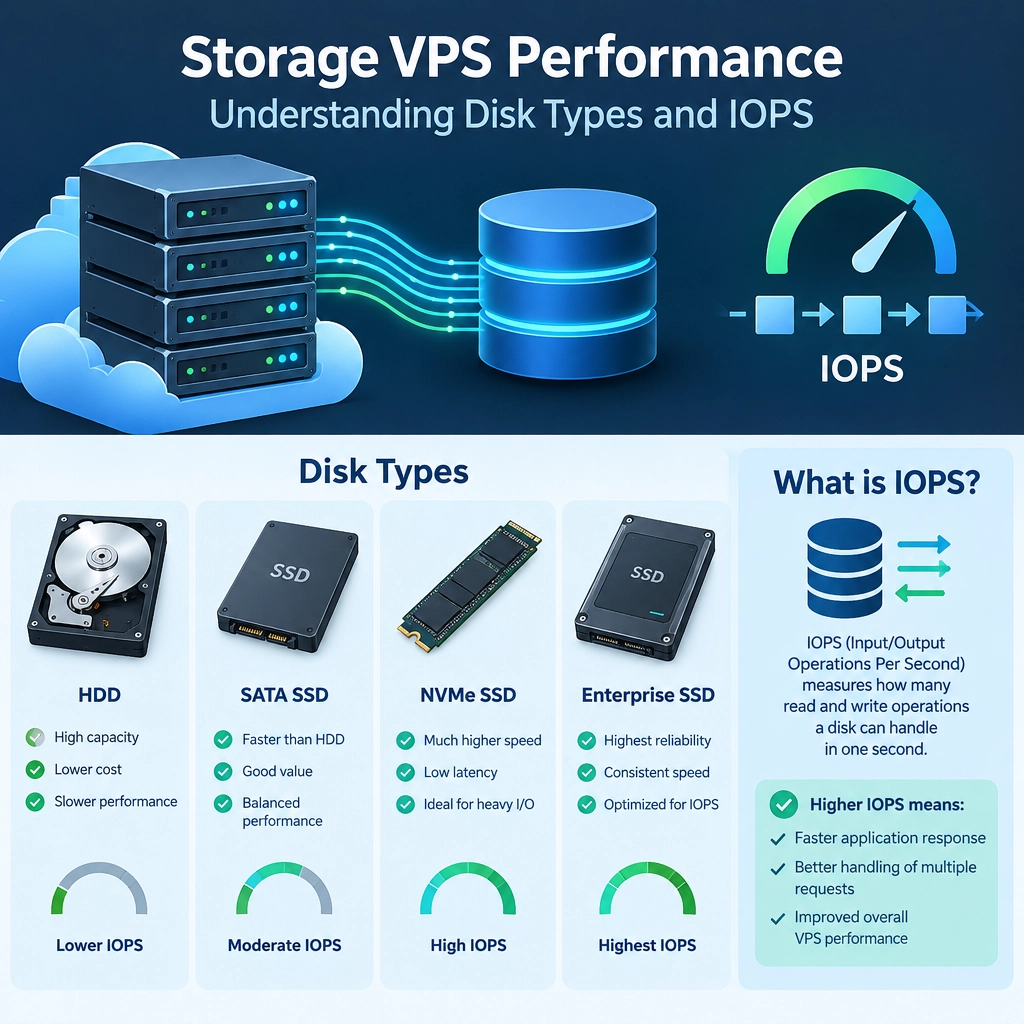
Storage VPS Performance: Understanding Disk Types and IOPS
A VPS can have plenty of CPU cores and memory yet still feel sluggish. Websites take longer to load, databases hesitate, and backups drag on. Often, the bottleneck isn’t the processor—it’s storage.
To understand why, it helps to look at two things: the type of disk behind your VPS and its IOPS, or input/output operations per second. These determine how quickly your server can read and write data, and they can make a noticeable difference in everyday performance.
What does storage do in a VPS?
Your VPS storage holds its operating system, applications, website files, databases, logs, and backups. Whenever software needs to load or save data, the server makes a storage request.
Some workloads make occasional requests, such as serving a mostly static website. Others generate constant activity. A database, for example, may read and update thousands of small records. Even if each request is tiny, delays add up when many arrive at once.
That’s why storage capacity alone doesn’t tell you how fast a VPS will be. A large disk may still respond slowly, while a smaller, faster disk can handle requests much more efficiently.
HDD, SSD, and NVMe: What’s the difference?
HDD: High capacity, slower access
Hard disk drives use spinning platters and moving read/write heads. They’re often affordable and offer substantial capacity, but the mechanical movement makes them slower to access data—especially when requests are scattered across the disk.
HDDs may suit archival storage, older applications, or workloads where low cost and capacity matter more than speed. They’re less ideal for busy databases or applications that need frequent, fast access.
SSD: Faster, with no moving parts
Solid-state drives store data on flash memory rather than spinning disks. Because they have no moving parts, they can access data more quickly and handle many small requests more effectively than HDDs.
An SSD-backed VPS is generally a good fit for everyday websites, application servers, and moderate database workloads. But not all SSD storage performs alike. The drive model, controller, server load, and hosting provider’s storage setup can all affect speed.
NVMe: Built for high throughput
NVMe is a storage protocol designed for flash storage and connected over the PCIe interface. NVMe drives can deliver very high speeds and strong performance under demanding workloads.
They’re often attractive for busy databases, analytics, development environments, and applications that move large amounts of data. Still, the label “NVMe” doesn’t guarantee a particular experience: shared infrastructure, provider limits, and workload patterns matter too.
What are IOPS?
IOPS measures how many input/output operations a storage device can complete per second. In simple terms, it’s a count of how many read or write requests the storage can handle in a given time.
IOPS matters because many server tasks involve lots of small operations. Opening a database record, updating a log file, or loading application files may each require separate requests. A system with higher IOPS can often handle this activity more smoothly.
However, IOPS isn’t the whole story. Latency—how long an individual request takes—is also important. High IOPS with poor latency may not feel responsive, while excellent latency can make a server feel quick even when it isn’t handling a huge number of requests.
The size of each operation matters as well. A storage device might perform very well with small, random requests but behave differently when transferring large files. Benchmarks often report both IOPS and throughput, measured in megabytes or gigabytes per second.
Why VPS storage can behave differently
A VPS typically shares a physical server with other virtual machines. Depending on how the provider manages storage, your performance may be affected by other customers using the same underlying system. Some providers also set limits on disk speed, IOPS, or bandwidth, even when the physical drive is capable of more.
Performance can also change during busy periods. A benchmark taken once may look impressive but won’t necessarily reflect how the VPS behaves throughout the day.
When comparing plans, look for clear information about storage type and any published IOPS or throughput limits. If those figures aren’t available, ask the provider how storage performance is managed.
Choosing the right storage for your workload
For a small personal site or a low-traffic service, standard SSD storage may be more than enough. A busy e-commerce site, database-heavy application, or server handling frequent writes may benefit from higher IOPS and lower latency, often found in well-configured SSD or NVMe environments.
Think about the work your server actually does. Large media files emphasize throughput and capacity. Databases and many small files depend heavily on fast random access. Backups may care more about sustained transfer speed than low latency.
The best storage isn’t automatically the newest or most expensive option. It’s the one that matches your workload—and performs consistently when you need it.
Welcome to DediRock, your trusted partner in high-performance hosting solutions. At DediRock, we specialize in providing dedicated servers, VPS hosting, and cloud services tailored to meet the unique needs of businesses and individuals alike. Our mission is to deliver reliable, scalable, and secure hosting solutions that empower our clients to achieve their digital goals. With a commitment to exceptional customer support, cutting-edge technology, and robust infrastructure, DediRock stands out as a leader in the hosting industry. Join us and experience the difference that dedicated service and unwavering reliability can make for your online presence. Launch our website.