
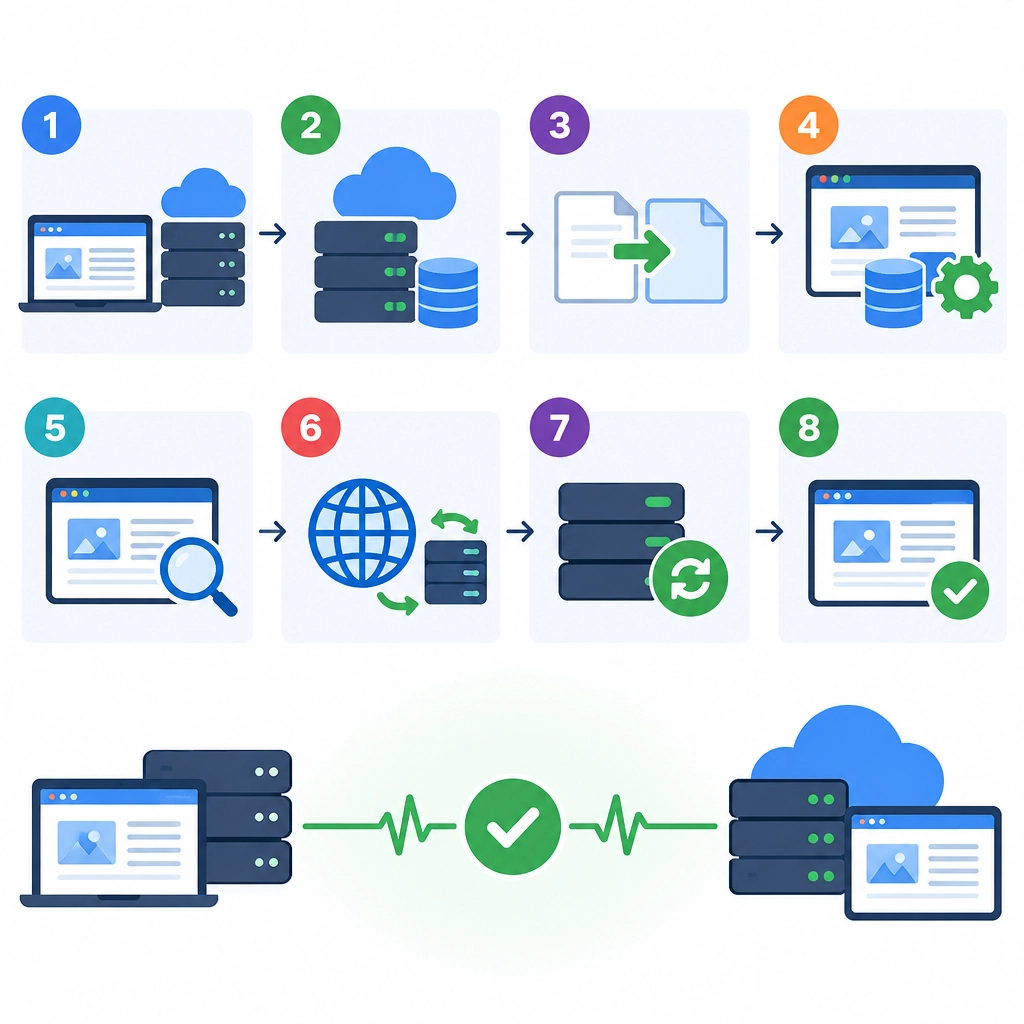
How to Migrate Your Website to a VPS Without Downtime
Moving your website to a VPS can mean better performance, more control, and room to grow. The tricky part is keeping the site available while you make the change. With careful preparation, you can shift your files, database, and traffic with little or no visible interruption.
The key is to build and test the new server before sending visitors to it. Treat the migration as a gradual handoff—not a switch you make before you know the replacement works.
1. Plan the migration
Start by listing everything your current website depends on: files, databases, PHP or other software versions, scheduled tasks, email services, SSL certificates, and any external integrations. Note your current DNS settings and take a full backup of both the website and its database.
Choose a time when traffic is typically low, even if you expect no downtime. Also check your domain registrar or DNS provider for the current DNS time-to-live (TTL). If possible, lower it to around 300 seconds a day or two before migrating. This can help changes reach visitors faster, though DNS providers and internet service providers don’t always follow TTLs exactly.
Keep the original site online throughout the process. It’s your safety net if something goes wrong.
2. Prepare the VPS
Set up the VPS with the software your site needs, such as a web server, database engine, runtime, and any required extensions. Match the versions on your existing host where practical; switching infrastructure and upgrading software at the same time can make problems harder to diagnose.
Secure the server before putting it on the internet. At a minimum, configure a firewall, use SSH keys where possible, create a non-root account for routine administration, and install security updates. Set up your website’s domain on the new server, but don’t point public DNS to it yet.
You can test the new site privately by editing your computer’s hosts file to direct your domain to the VPS IP address. This lets you check pages using the real domain without changing what everyone else sees.
3. Copy your files and database
Transfer your website files to the VPS using a reliable method such as rsync or SFTP. Then create the database and import a backup of your current database. Update the site’s configuration with the new database credentials and any server-specific paths.
For a mostly static site, copying the files may be enough. For a busy site—especially one with orders, comments, bookings, or user accounts—the database can change while you’re copying it. That’s where a simple one-time backup may fall behind.
A common approach is to make an initial copy, then sync the files and database again shortly before the switch. For high-traffic or business-critical sites, consider database replication or a migration tool that can keep the new database updated. If you don’t have experience with those options, a hosting provider or developer can help plan the cutover safely.
4. Test before switching traffic
Don’t rely on the homepage alone. Check the pages and features that matter most: contact forms, logins, search, checkout, uploads, and any API connections. Review the server’s error logs, confirm HTTPS works, and test the site on a phone as well as a desktop.
Pay attention to background services too. Scheduled jobs, cache systems, and email sending can behave differently on a new server. If your site sends email through a third-party service, verify the credentials and domain authentication settings.
It’s also worth checking how the site behaves under a little load. A VPS with a smaller resource allowance may work fine during a basic test but struggle when several visitors arrive at once.
5. Switch DNS carefully
When the VPS is ready, take a fresh backup and perform the final file and database sync. For sites with frequent changes, briefly pause actions that write to the database—such as checkout or posting comments—during this final sync. That prevents new activity from being saved only on the old server.
Then update the domain’s DNS records to the VPS IP address. DNS changes spread over time, so some visitors may reach the new server while others still reach the old one. Keep both servers running during this period. If possible, configure the old server to redirect visitors to the new one, but only after you’re confident the new site is working properly.
6. Monitor—and keep a rollback option
After the DNS change, watch uptime, error logs, page speed, and key actions such as completed purchases or form submissions. Check your analytics and server resource usage over the next day or two.
Don’t cancel the old hosting immediately. Wait until traffic has settled on the VPS, the site is stable, and you’ve confirmed that no important data remains on the old server. If a serious issue appears, you’ll be glad the original setup is still available.
A smooth migration is mostly about patience and verification. Build the new environment, test it privately, move changing data with care, and give DNS time to catch up. When both servers remain available during the handoff, moving to a VPS doesn’t have to mean asking your visitors to wait.
Welcome to DediRock, your trusted partner in high-performance hosting solutions. At DediRock, we specialize in providing dedicated servers, VPS hosting, and cloud services tailored to meet the unique needs of businesses and individuals alike. Our mission is to deliver reliable, scalable, and secure hosting solutions that empower our clients to achieve their digital goals. With a commitment to exceptional customer support, cutting-edge technology, and robust infrastructure, DediRock stands out as a leader in the hosting industry. Join us and experience the difference that dedicated service and unwavering reliability can make for your online presence. Launch our website.