
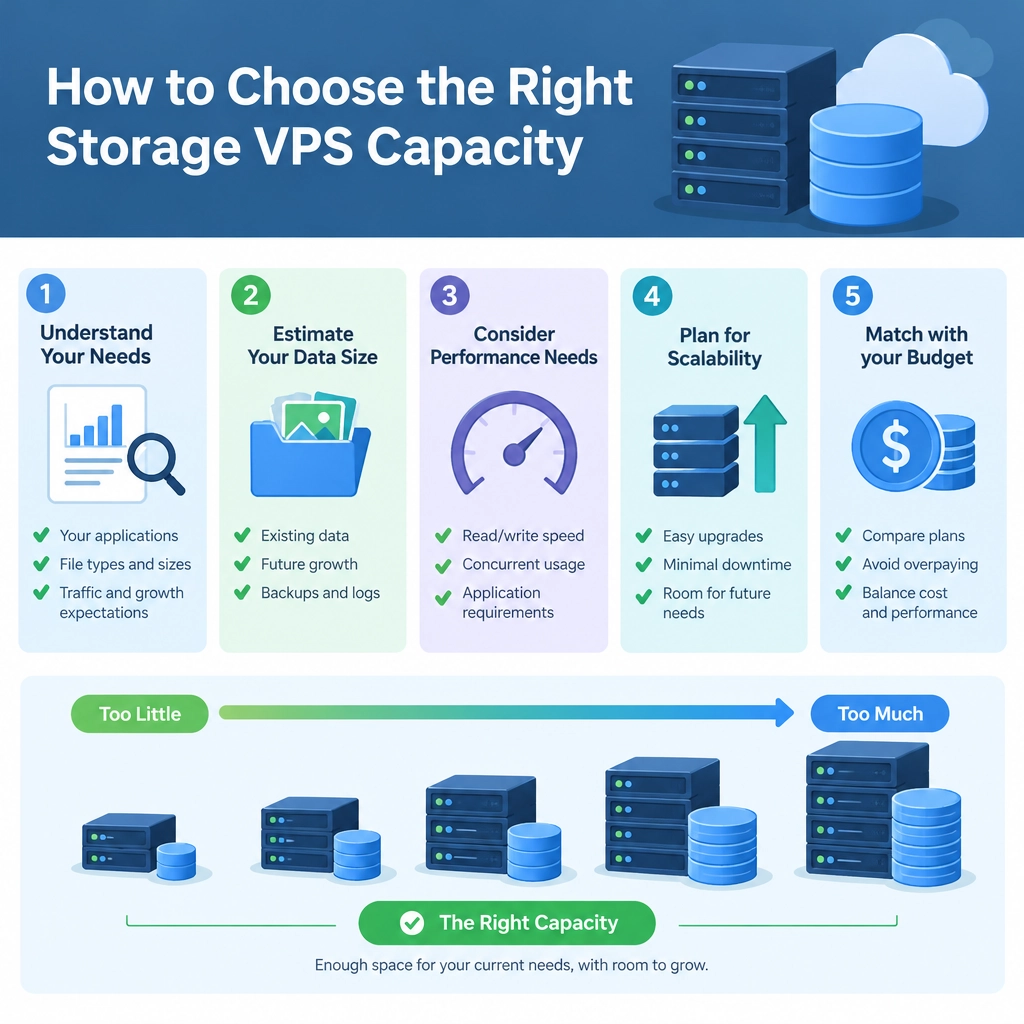
How to Choose the Right Storage VPS Capacity
Choosing a storage VPS can feel like a simple numbers game: pick a disk size, pay the monthly fee, and get on with your project. But choose too little and you may run out of space sooner than expected. Choose far more than you need and you could be paying for capacity that sits unused.
The right choice depends on what you plan to store, how quickly it will grow, and how your applications use the server. Here’s how to estimate a sensible capacity before you commit.
Start with what you’ll store
Make a rough inventory of the data your VPS needs to hold. Depending on your setup, that might include:
- Website files, databases, and uploaded media
- Backups, logs, and application data
- Video, audio, or other large files
- Virtual machine images or software repositories
- Shared files for a team or remote users
Don’t focus only on the main files. Operating systems, installed software, databases, and temporary working files also use disk space. A basic website may need little storage at first, while a media library or backup server can grow quickly.
If you’re moving from another server, check its actual disk usage rather than relying on the size of the disk it has. The command df -h shows how much space is in use, while tools such as du can help identify which folders account for it.
Estimate growth, not just today’s usage
A storage plan should accommodate what you expect to need over the next several months—not just what you have right now. Consider how many files you add each month and whether those files tend to be small or large.
For example, a project that adds a few product photos each week may grow gradually. A backup server that keeps daily copies of large databases may expand much faster. If possible, review usage over time and calculate an approximate monthly growth rate.
Then add a buffer. Keeping some space free helps prevent problems when you upload a batch of files, run a software update, or create a temporary backup. Aiming to leave around 20–30% of the disk unused is a useful starting point, though high-growth or business-critical systems may need more room.
Account for backups and retention
Backups are a common source of surprise. A single backup may be close to the size of the data it protects, and keeping multiple versions can multiply the storage requirement. If you retain daily backups for a week and monthly backups for a year, plan for those copies explicitly.
Also ask where backups will live. Storing them on the same VPS can be convenient, but it won’t protect you if the server or its storage fails. For important data, use a separate backup destination—such as object storage or another server—and include its cost in your overall plan.
Logs and temporary files deserve attention too. Logs can grow continuously if they aren’t rotated, while caches and temporary exports may expand during normal operations. Make sure your maintenance process cleans up files that no longer need to be kept.
Think about storage speed and workload
Capacity isn’t the only storage consideration. A VPS can have plenty of disk space yet feel slow if its storage is not suited to the workload. Databases, busy websites, and applications that frequently read and write small files often benefit from faster SSD or NVMe storage.
For archives or backups that are rarely accessed, maximum speed may matter less than cost per gigabyte. If you’re choosing between storage tiers, match the performance to how often the data is used. Check whether the provider lists IOPS, throughput, or storage type, and whether there are limits on disk performance.
Check the practical limits
Before ordering, look beyond the advertised capacity. Confirm whether the plan lets you expand storage later, whether resizing requires downtime, and whether the listed disk space is fully available to your system. It’s also worth checking for transfer limits, snapshot costs, and charges for additional volumes.
If you’re unsure, a smaller plan with a straightforward upgrade path can be a reasonable starting point. Just make sure you’ll have enough room to operate comfortably until you can upgrade.
Make the decision with room to adapt
The best storage VPS is not necessarily the one with the biggest disk. It’s the one that fits your current workload, supports likely growth, and gives you a safe margin without paying for excess capacity. Estimate your real usage, plan for backups and temporary files, and monitor disk space after launch. That way, your choice can be based on how your project actually grows—not on guesswork.
Welcome to DediRock, your trusted partner in high-performance hosting solutions. At DediRock, we specialize in providing dedicated servers, VPS hosting, and cloud services tailored to meet the unique needs of businesses and individuals alike. Our mission is to deliver reliable, scalable, and secure hosting solutions that empower our clients to achieve their digital goals. With a commitment to exceptional customer support, cutting-edge technology, and robust infrastructure, DediRock stands out as a leader in the hosting industry. Join us and experience the difference that dedicated service and unwavering reliability can make for your online presence. Launch our website.