
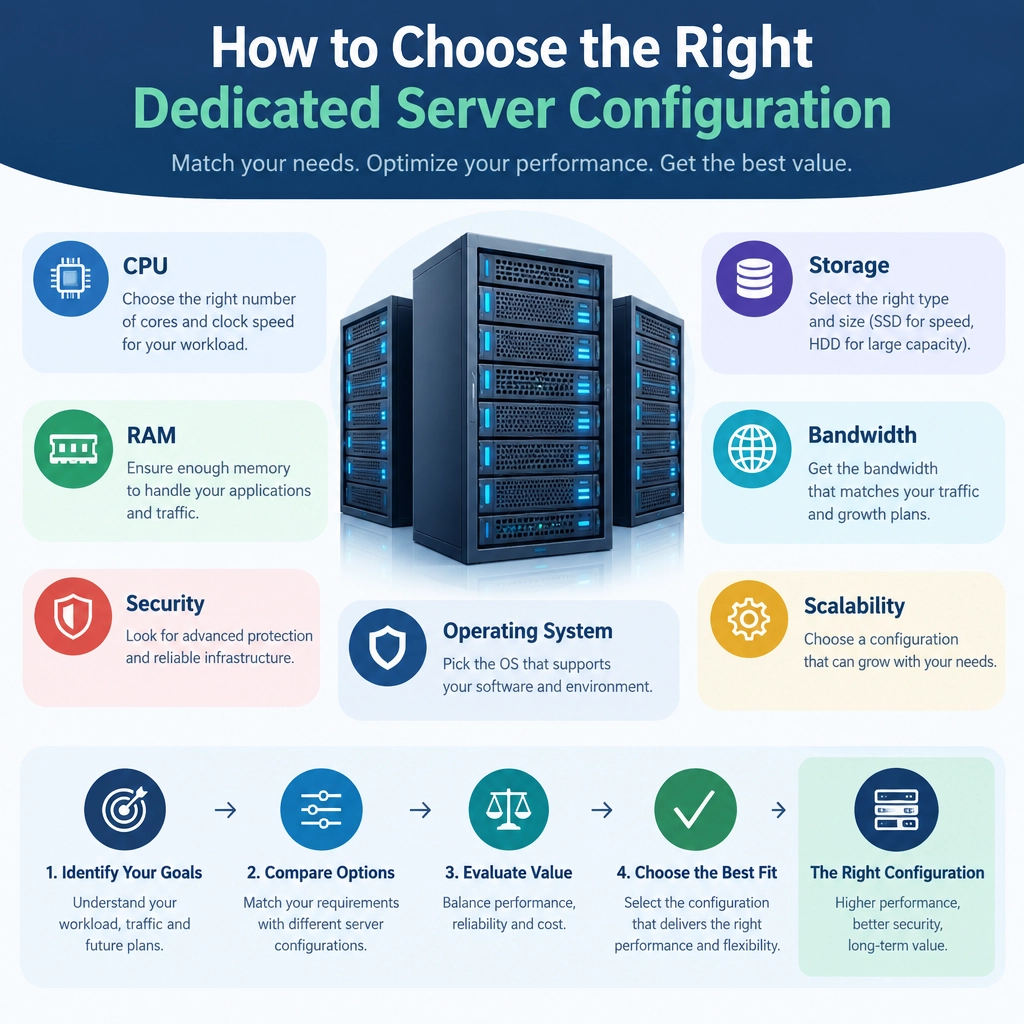
How to Choose the Right Dedicated Server Configuration
Choosing a dedicated server isn’t just about picking the biggest processor or the most storage you can afford. The right configuration is one that fits your workloads, stays reliable under pressure, and leaves room for growth—without paying for resources you won’t use.
A useful starting point is to understand what your server will actually do. A busy e-commerce site, a game server, a database, and a backup system all put different demands on hardware. Once you know the workload, you can make smarter choices about CPU, memory, storage, networking, and support.
Start with your workload
List the applications you plan to run and estimate how many people or processes will use them at peak times. Consider whether the workload is steady or has sudden spikes, and whether it depends more on fast calculations, quick data access, or handling many simultaneous connections.
For example, a database may need plenty of memory and fast storage, while video processing may benefit from a CPU with more cores. A website serving mostly static pages may need less computing power but still require dependable networking. If you’re migrating from another server, use monitoring data—such as CPU usage, memory consumption, and storage activity—to ground your estimates in reality.
Choose a CPU for the work, not the spec sheet
Processors differ in both core count and per-core performance. More cores can help with workloads that run many tasks in parallel, such as virtualization or rendering. Some applications, however, rely heavily on a small number of fast cores.
Check the requirements of your software and find out whether it scales across multiple cores. Also consider whether you’ll run several services on the same machine. A server that hosts a website, database, and background jobs at once may need more CPU headroom than a server dedicated to one lightweight task.
Size memory with room to breathe
Insufficient RAM can cause slowdowns, especially when a system starts relying on disk as temporary memory. Databases, caching systems, virtual machines, and in-memory applications can all be memory-hungry.
Estimate the needs of each service, then include capacity for the operating system and normal usage spikes. If you’re unsure, check memory trends on your current system rather than relying on a single snapshot. It’s generally better to plan for realistic growth than to max out a budget on day one—but avoid buying far more RAM than your applications can use.
Pick storage for both speed and resilience
Storage affects how quickly applications load data, how well databases respond, and how long backups or file transfers take. Solid-state drives (SSDs) are a good choice for many modern workloads; NVMe drives can offer particularly fast access for demanding databases and other data-intensive applications. Traditional hard drives may still make sense when capacity matters more than speed, such as for large archives.
Think about usable capacity, not just the advertised drive size. The operating system, applications, logs, backups, and future data all need space. For important services, also consider redundancy: a RAID setup can help maintain availability if a drive fails, though it is not a substitute for independent backups.
Match bandwidth to real traffic
Network capacity matters for public-facing websites, streaming, downloads, and services with many concurrent users. Look beyond the advertised port speed and ask about bandwidth limits, transfer quotas, traffic policies, and protection against network attacks.
If traffic varies widely, estimate typical and peak usage separately. A configuration that handles an average month comfortably may still struggle during a launch, seasonal rush, or viral spike. Reliable connectivity and clear provider policies can matter just as much as headline speed.
Factor in security, uptime, and support
Hardware is only part of the decision. Find out what the provider includes for monitoring, hardware replacement, backups, network protection, and technical support. Check whether support is available around the clock and what “managed” service actually covers.
You’ll also need to plan for operating system updates, access controls, firewalls, and recovery procedures. If downtime would be costly, ask about service-level agreements and the steps the provider takes when components fail. A powerful server is less useful if it’s difficult to maintain or slow to restore.
Balance today’s needs with tomorrow’s
Before ordering, compare a few configurations and calculate the total cost—not just the monthly server price. Include software licenses, backup storage, bandwidth overages, management services, and any setup fees. Make sure the provider can upgrade your CPU, RAM, storage, or network capacity later, or explain whether growth would require migrating to a new machine.
The best dedicated server configuration isn’t the one with the most impressive numbers. It’s the one that reliably supports your workload, fits your budget, and gives you a sensible path forward. Start with evidence, prioritize the resources your applications actually use, and leave enough flexibility to adapt as your needs change.
Welcome to DediRock, your trusted partner in high-performance hosting solutions. At DediRock, we specialize in providing dedicated servers, VPS hosting, and cloud services tailored to meet the unique needs of businesses and individuals alike. Our mission is to deliver reliable, scalable, and secure hosting solutions that empower our clients to achieve their digital goals. With a commitment to exceptional customer support, cutting-edge technology, and robust infrastructure, DediRock stands out as a leader in the hosting industry. Join us and experience the difference that dedicated service and unwavering reliability can make for your online presence. Launch our website.