
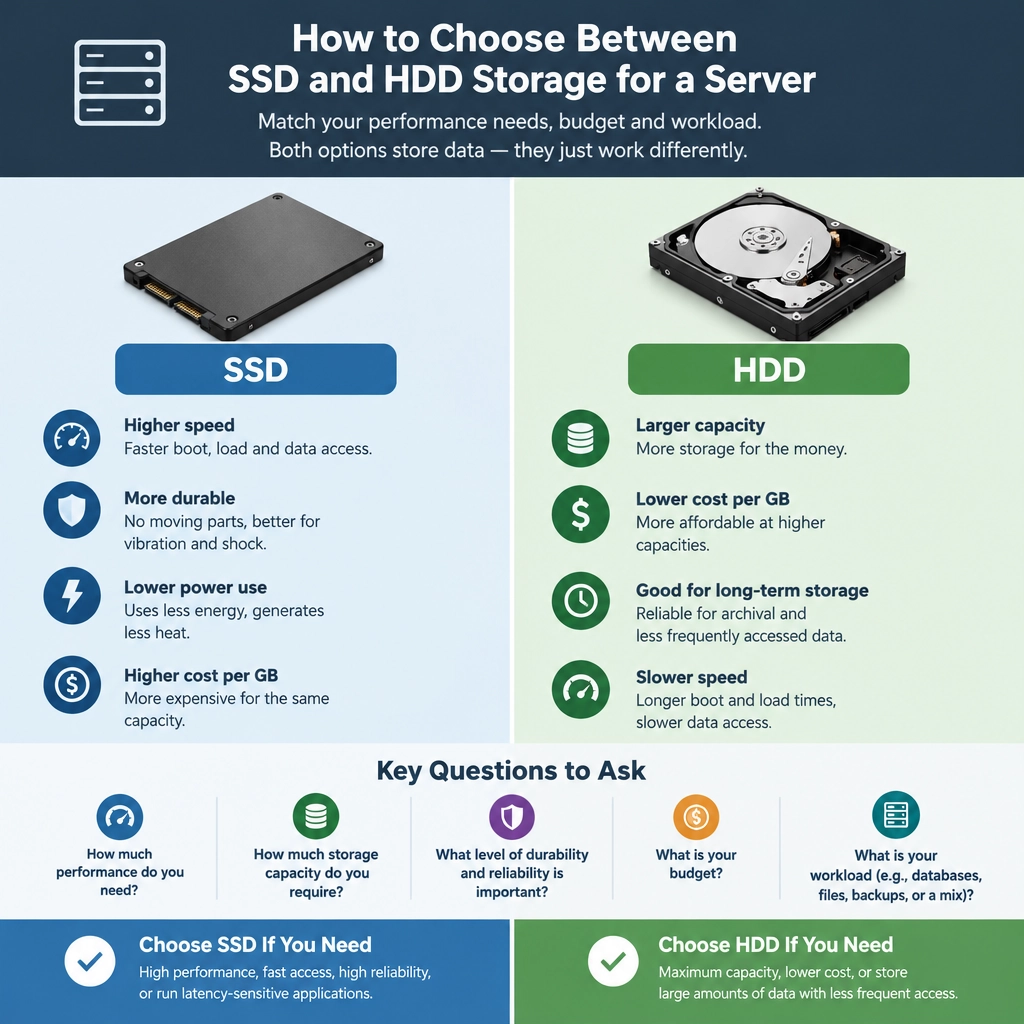
How to Choose Between SSD and HDD Storage for a Server
Choosing storage for a server sounds simple: SSDs are fast, HDDs are affordable. But the right choice depends on what your server does, how much data it holds, and what matters most to your organization. The best setup isn’t always “all SSD” or “all HDD”—for many servers, a mix of both offers the right balance.
Start with the server’s workload
Think about what the server reads and writes throughout a typical day. A website, database, virtual machine host, and backup server place very different demands on storage.
SSDs shine when a workload needs fast access to lots of small files or frequent data updates. Databases, virtual machines, email systems, and busy applications often benefit from their low latency and strong input/output performance. Pages load faster, queries complete sooner, and multiple users can access data without the drive becoming a bottleneck.
HDDs are often a good fit for workloads that primarily store large amounts of data and access it less frequently. File archives, media libraries, backups, and older records may not need instant response times. In those cases, the extra speed of SSDs may not justify the added cost.
A practical question to ask is: Would slower storage noticeably affect users or applications? If yes, SSDs deserve serious consideration. If the server mostly holds data for occasional retrieval, HDDs may be perfectly adequate.
Compare performance and capacity
SSDs have no moving parts, so they can retrieve data far more quickly than traditional hard drives. They also handle many simultaneous requests well, which is especially useful on busy servers. This can improve performance even when the server is handling several applications at once.
HDDs use spinning platters, making them slower to locate and transfer data. Still, they offer a lot of storage at a lower price per terabyte. If your main challenge is keeping years of files or large backups, HDDs can provide substantial capacity without stretching the budget.
Keep in mind that capacity needs tend to grow. Estimate how much storage you need now, then account for future data growth, backups, and room for maintenance. A drive that looks inexpensive today may be less appealing if you need to replace or expand it much sooner than expected.
Look beyond the purchase price
The sticker price is only one part of the cost. Consider electricity use, cooling, performance, and the consequences of slow storage. SSDs typically consume less power and generate less heat than HDDs, which can matter in a server room running around the clock.
At the same time, drive endurance matters. SSDs have a finite number of writes, so check the manufacturer’s endurance rating and whether it matches your workload. Enterprise SSDs are designed for server use and often provide better endurance and reliability features than consumer models. HDDs also have failure risks, especially because of their moving parts—but either type can fail unexpectedly.
Whatever storage you choose, don’t treat the drive as a backup. Use a separate backup system, test restores, and plan for drive failure. Redundancy, such as RAID, can help keep a server available when a drive fails, but RAID is not a substitute for a backup.
Consider a hybrid setup
Many servers benefit from combining drive types. Put the operating system, applications, databases, or frequently accessed files on SSDs, then use HDDs for backups, archives, or less-used data.
This approach can deliver fast performance where it matters while keeping overall storage costs manageable. Some systems can also use SSDs as a cache for frequently requested data stored on HDDs. Just make sure the setup is supported by your server hardware and software, and that caching won’t complicate maintenance.
Make the choice based on priorities
Choose SSDs when responsiveness, low latency, and high activity are central to the server’s job. Choose HDDs when affordable capacity is the priority and slower access is acceptable. Choose both when the server needs speed for everyday operations but also needs room for large or infrequently accessed files.
Before buying, review your workload, capacity forecast, budget, endurance requirements, and backup plan. If you’re unsure, monitor the current server’s storage activity or test a small deployment. The right storage choice is the one that supports the work your server actually does—not simply the one with the most impressive speed or the lowest price per terabyte.
Welcome to DediRock, your trusted partner in high-performance hosting solutions. At DediRock, we specialize in providing dedicated servers, VPS hosting, and cloud services tailored to meet the unique needs of businesses and individuals alike. Our mission is to deliver reliable, scalable, and secure hosting solutions that empower our clients to achieve their digital goals. With a commitment to exceptional customer support, cutting-edge technology, and robust infrastructure, DediRock stands out as a leader in the hosting industry. Join us and experience the difference that dedicated service and unwavering reliability can make for your online presence. Launch our website.