
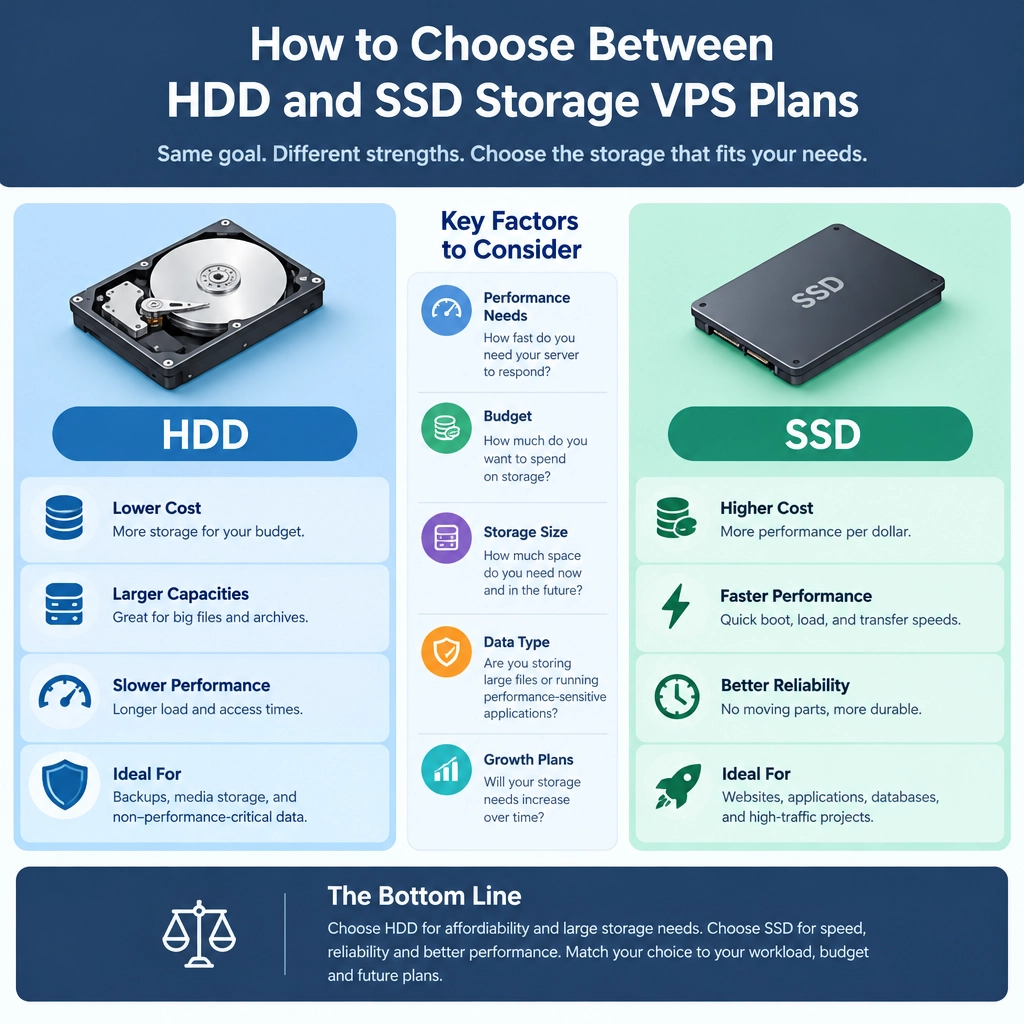
How to Choose Between HDD and SSD Storage VPS Plans
When comparing VPS plans, it’s easy to focus on processor cores, memory, and monthly cost. But storage matters just as much. The choice between a hard disk drive (HDD) and a solid-state drive (SSD) can affect how quickly your site loads, how smoothly applications run, and how much data you can store for your budget.
Neither option is automatically best. The right fit depends on what you’re hosting, how often users access it, and where you want to spend your money.
What’s the difference?
HDDs store data on spinning disks, with a mechanical arm reading and writing information. They’ve been around for decades and typically offer a lot of storage at a relatively low price.
SSDs store data on flash memory and have no moving parts. They can retrieve information much faster, which means shorter waits when a server loads files, processes requests, or starts applications. Many VPS providers now offer NVMe storage, a particularly fast type of SSD, though performance varies between plans.
In simple terms, HDDs are usually better value for capacity, while SSDs are better for speed.
Choose SSD if performance is a priority
An SSD VPS is often the better choice for websites and applications that respond to frequent user requests. Faster storage can help pages load more quickly, speed up database queries, and make tasks such as deploying software or creating backups less sluggish.
Consider SSD storage if you’re running:
- An online store or busy business website
- A database-heavy application
- A game server or real-time service
- Development tools, containers, or virtual machines
- A site where slow response times could cost sales or frustrate visitors
Storage isn’t the only factor in server performance—CPU, memory, network quality, and software configuration matter too. Still, an SSD can remove a common bottleneck, especially when an application regularly reads and writes data.
Choose HDD if you need affordable capacity
An HDD VPS can make sense when you need to store a large volume of data but don’t need every file to load instantly. It may be a practical option for archives, backups, media libraries, or older files that are accessed only occasionally.
For example, a small organization might keep long-term backup copies on a lower-cost HDD plan while hosting its public website on SSD storage. That way, frequently used services get the speed they need, without paying a premium for every stored file.
Just remember that an HDD plan may be slower under heavy activity, particularly if several applications are accessing data at once. If the server needs to respond quickly to lots of simultaneous requests, the savings may not be worth the trade-off.
Compare the whole plan, not just the drive
Storage type is important, but it shouldn’t be your only comparison point. Check how much storage is included, whether the provider sets limits on input/output operations, and whether the plan uses shared or dedicated resources. An SSD label doesn’t guarantee identical performance across providers.
Also look at:
- Backup and snapshot options: Are they included, and how quickly can you restore?
- Upgrade flexibility: Can you increase storage or move to a faster plan later?
- Traffic and bandwidth: Will the plan support your expected usage?
- Support and uptime: How quickly can you get help if something goes wrong?
- Total cost: Are setup fees, backups, or extra storage charged separately?
If possible, estimate how much space you need now and how quickly your data is likely to grow. Buying far more storage than necessary can waste money, while choosing a plan that’s nearly full from day one can create headaches.
A quick way to decide
Ask yourself two questions: Does my VPS need to access data quickly? And am I storing a lot of data that’s rarely used?
If speed and responsiveness are central to the service, start by comparing SSD plans. If capacity and price matter more than quick access, HDD may be a sensible fit. For mixed workloads, you might use SSD storage for your application and active data, then keep archives or backups elsewhere.
The best VPS storage choice is the one that supports your actual workload—not simply the plan with the biggest number or the lowest monthly price. Think about how your server will be used today, leave room for growth, and choose the balance of speed, capacity, and cost that makes sense for the people relying on it.
Welcome to DediRock, your trusted partner in high-performance hosting solutions. At DediRock, we specialize in providing dedicated servers, VPS hosting, and cloud services tailored to meet the unique needs of businesses and individuals alike. Our mission is to deliver reliable, scalable, and secure hosting solutions that empower our clients to achieve their digital goals. With a commitment to exceptional customer support, cutting-edge technology, and robust infrastructure, DediRock stands out as a leader in the hosting industry. Join us and experience the difference that dedicated service and unwavering reliability can make for your online presence. Launch our website.