
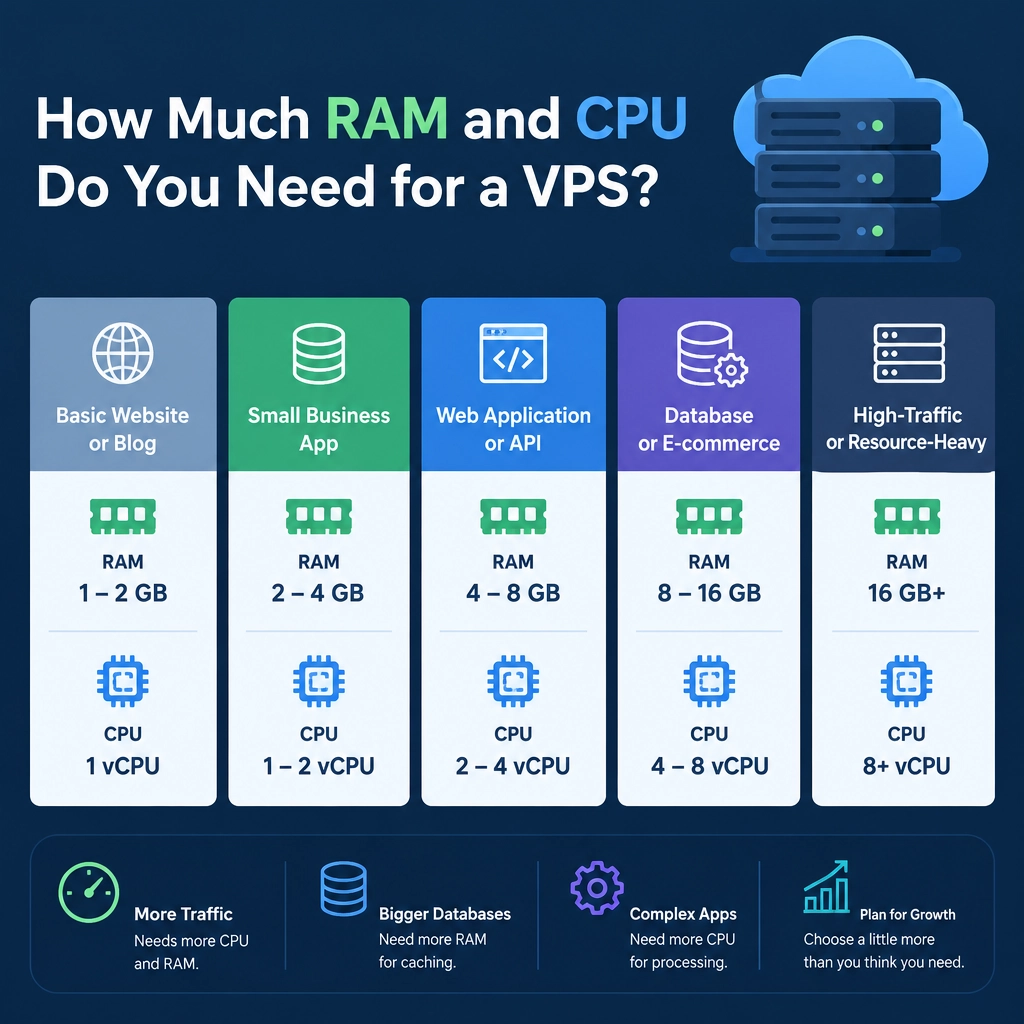
How Much RAM and CPU Do You Need for a VPS?
Choosing a VPS plan can feel like guessing: Is 1 GB of RAM enough? Do you need two CPU cores—or four? It’s tempting to buy the biggest plan you can afford, but you may end up paying for resources your site rarely uses. Start too small, though, and slowdowns can frustrate visitors and interfere with your work.
The right answer depends less on a universal minimum and more on what you’ll run, how many people will use it, and how efficiently it’s configured. Here’s a practical way to size your VPS.
What RAM and CPU actually do
RAM is working memory. Your operating system, web server, database, and applications all use it while they’re running. If memory runs low, the server may slow down, terminate processes, or rely on disk-based swap—which is much slower than RAM.
CPU handles computation. More CPU capacity helps when requests need significant processing or arrive at the same time. A simple page served from cache may need very little CPU, while a busy application generating pages dynamically can use much more.
A VPS plan’s “vCPU” count indicates its virtual processors. The performance of each vCPU can vary by provider and plan, so core count alone doesn’t tell the whole story.
A useful starting point
These ranges are rough starting points, not guarantees. They assume a reasonably maintained Linux VPS and a relatively standard workload.
| Workload | Starting point |
|---|---|
| Lightweight personal site or static pages | 1 vCPU, 1 GB RAM |
| Small business site or low-traffic WordPress site | 1–2 vCPUs, 2 GB RAM |
| Several small sites, a modest web app, or a small database | 2 vCPUs, 4 GB RAM |
| Busy application, multiple services, or heavier database use | 4+ vCPUs, 8 GB+ RAM |
A static site may run comfortably on a small plan because it serves prebuilt files. A WordPress site with plugins, a database, and no caching usually needs more room—even at modest traffic levels. A development environment may have different needs again, especially if it runs containers, background jobs, or build tools.
Consider the whole workload
Don’t size your server based on the website alone. Add up the services that will run on it:
- Operating system and system services
- Web server, such as Nginx or Apache
- Database, such as MySQL or PostgreSQL
- Application runtime
- Caching, monitoring, backups, or container services
A database can use a substantial share of available memory, and running several containers can add overhead. Leave breathing room for temporary traffic spikes and updates rather than planning to use every last megabyte.
Traffic matters, but it isn’t the only factor. A site receiving a few thousand visits a day might use little CPU if pages are cached. A smaller audience can still create a heavy workload if users trigger reports, searches, image processing, or other computationally expensive features.
Don’t overbuy—or underbuy
More resources aren’t automatically better. A large VPS may cost more without improving performance if your application is limited by a slow database query, an unoptimized image, or poor caching.
At the same time, choosing the smallest plan available can create avoidable problems. If memory is consistently near its limit, or CPU usage stays high during normal traffic, your server may struggle as the site grows.
A practical approach is to start with a modest plan that leaves a little headroom, then measure. Watch memory use, swap activity, CPU utilization, disk space, and response times during typical busy periods. If the server regularly runs short of memory, add RAM. If CPU stays saturated while memory remains comfortable, more CPU capacity may help. If resource use looks healthy but pages are still slow, investigate the application and database before upgrading.
Make scaling part of the plan
Many VPS providers let you upgrade later, but the process and downtime requirements vary. Check whether your provider makes it easy to resize a server, and keep backups before making significant changes. If your site is critical, test upgrades and recovery procedures before a busy season—not during one.
The best VPS is not the one with the biggest numbers. It’s the one that fits your workload today, has enough room for normal growth, and can be adjusted when real usage data shows you need more. Start with a sensible baseline, keep an eye on the metrics, and let your server—not guesswork—tell you when it’s time to scale.
Welcome to DediRock, your trusted partner in high-performance hosting solutions. At DediRock, we specialize in providing dedicated servers, VPS hosting, and cloud services tailored to meet the unique needs of businesses and individuals alike. Our mission is to deliver reliable, scalable, and secure hosting solutions that empower our clients to achieve their digital goals. With a commitment to exceptional customer support, cutting-edge technology, and robust infrastructure, DediRock stands out as a leader in the hosting industry. Join us and experience the difference that dedicated service and unwavering reliability can make for your online presence. Launch our website.