
Dedicated Servers for Gaming: Specs and Setup Tips
A dedicated game server can turn a good multiplayer session into a great one. Instead of relying on one player’s PC or a crowded shared host, it gives your game its own machine and internet connection. That can mean smoother play, fewer interruptions, and more control over the rules, mods, and player experience.
But how much server do you actually need? The answer depends on the game, the size of your community, and whether you want to manage the server yourself. Here’s what to look for—and how to get started.
What makes a dedicated server different?
A dedicated server is a computer or hosted machine reserved for running your game server. Players connect to it over the internet, while the server keeps track of the world, game rules, and player actions.
You can run one on hardware you own, or rent one from a hosting provider. Renting is usually easier if you want a server that stays online around the clock without maintaining a machine at home. Self-hosting offers more hands-on control, but you’ll need a reliable connection, suitable hardware, and some comfort with network settings.
Choosing the right specs
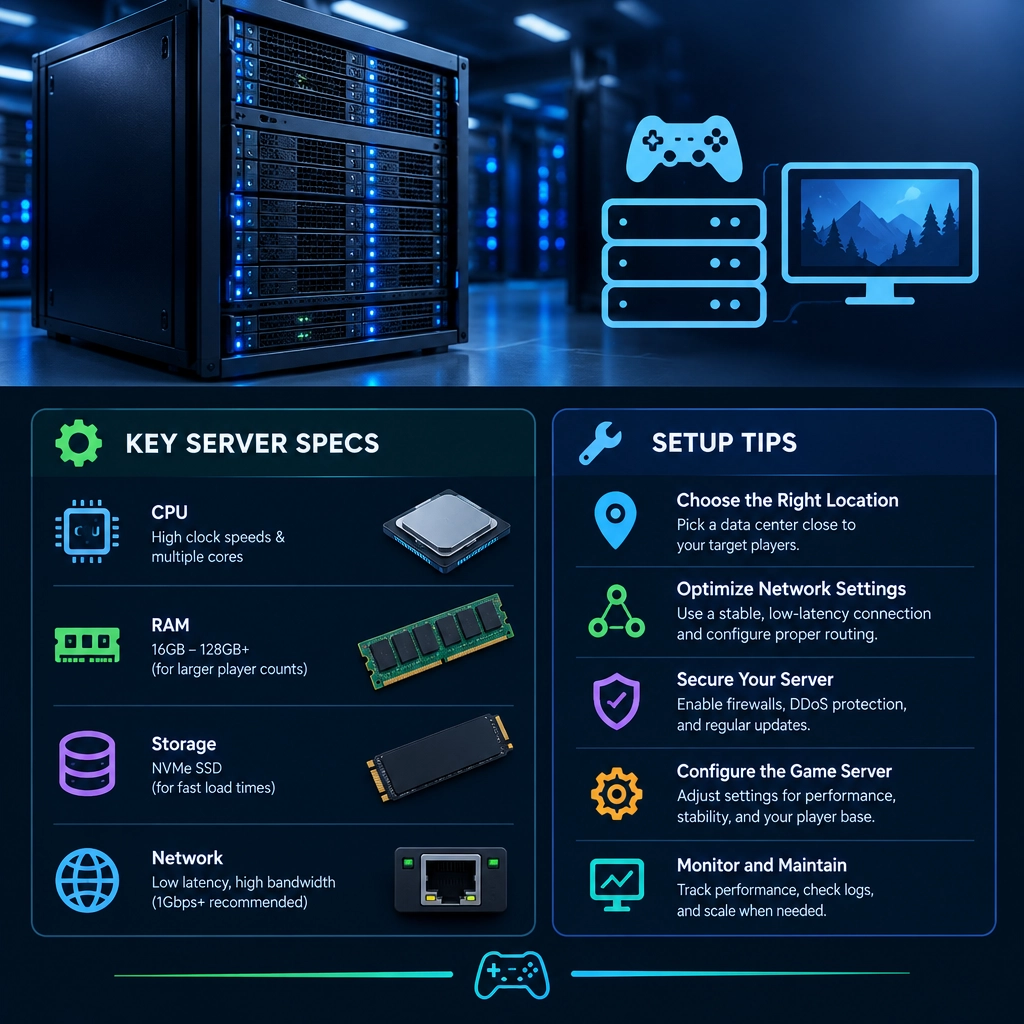
CPU: Many game servers rely heavily on one or a few processor cores, so strong per-core performance often matters more than having a large number of cores. Games with complex simulations, lots of entities, or heavy modding can demand more processing power. Check the requirements for your specific game rather than assuming every server needs a high-end processor.
Memory: RAM needs vary with the game, player count, and mods. A small, mostly vanilla server may run comfortably with a modest amount, while a large world or mod-heavy setup can need considerably more. Leave headroom for the operating system and other background tasks, and monitor usage once players join.
Storage: An SSD is a smart choice. It can speed up startup, world loading, and file operations, and it’s generally more responsive than a traditional hard drive. Storage capacity matters too if you plan to keep backups, logs, maps, or several server instances.
Network: A fast connection helps, but consistency is just as important as headline speed. Low latency, stable upload capacity, and minimal packet loss all contribute to a better experience. For a home-hosted server, check your internet plan’s upload speed and whether your provider allows incoming connections. A hosting provider’s location also matters: choose a data center reasonably close to most players.
Set up your server step by step
Start by picking a server location and confirming it supports your game. If you’re renting, look for clear information about hardware, bandwidth, backups, support, and cancellation. If you’re self-hosting, make sure your machine can run continuously and that your network can handle player traffic.
Next, install the game’s dedicated server software and follow its official setup instructions. Create a separate configuration for your server so you can set the world, player limit, game mode, and other rules without repeatedly editing files by guesswork.
Then handle access. Use the game’s documented port and configure your firewall to allow only the traffic the server needs. If you’re hosting at home, you may also need to set up port forwarding on your router. Avoid disabling the firewall altogether; opening only the required ports is safer. Use strong passwords for administrator accounts, and keep server access details private.
Before inviting everyone, test the server with a few players. Watch CPU and memory use, check for lag, and confirm that players can connect reliably. If performance dips, reduce demanding settings, review mods, or upgrade the bottleneck rather than throwing extra resources at the problem blindly.
Keep it healthy over time
Updates are essential, but applying them without a plan can cause downtime or break mods. Back up the world and configuration before major changes, and let players know when maintenance is scheduled. Keep regular backups somewhere separate from the server itself so a hardware or account problem doesn’t take your only copy with it.
Finally, pay attention to the player experience. A clear server name, a concise set of rules, and a reliable way to share announcements can make a community feel welcoming. The best dedicated server isn’t necessarily the biggest or most expensive—it’s the one sized for your game, configured safely, and maintained with care.
Welcome to DediRock, your trusted partner in high-performance hosting solutions. At DediRock, we specialize in providing dedicated servers, VPS hosting, and cloud services tailored to meet the unique needs of businesses and individuals alike. Our mission is to deliver reliable, scalable, and secure hosting solutions that empower our clients to achieve their digital goals. With a commitment to exceptional customer support, cutting-edge technology, and robust infrastructure, DediRock stands out as a leader in the hosting industry. Join us and experience the difference that dedicated service and unwavering reliability can make for your online presence. Launch our website.