
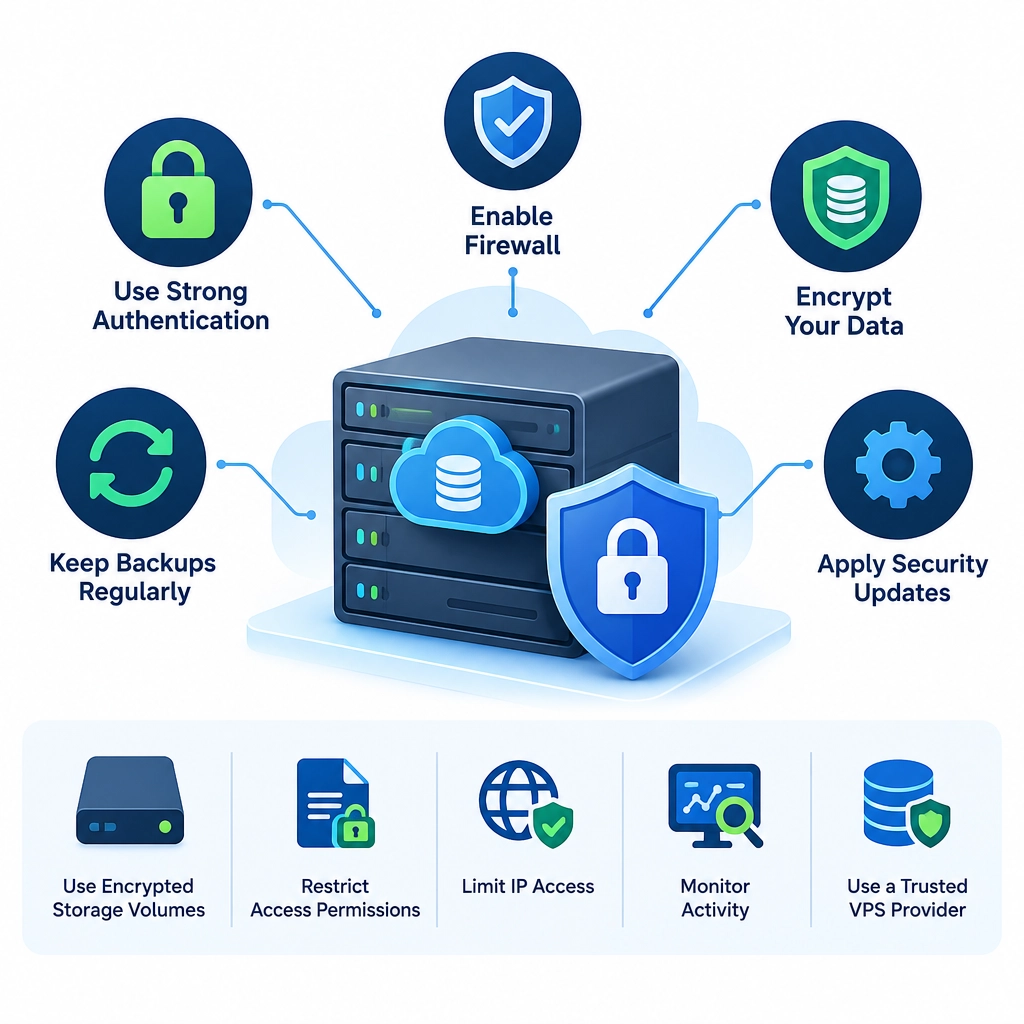
How to Secure Data on a Storage VPS
A storage VPS can be a convenient home for backups, shared files, archives, and application data. But putting files on a server doesn’t automatically make them safe. You’re responsible for choosing sensible access controls, keeping software updated, and planning for mistakes or hardware failures.
The good news: a few practical habits can go a long way. Here’s how to make your storage VPS more secure without turning server maintenance into a full-time job.
Start with a strong login
Many VPS attacks begin with someone trying common or leaked passwords. Protect the server’s administrative account with a long, unique password—and, where possible, use SSH keys instead of password-based login.
An SSH key works like a digital credential stored on your device. After confirming key-based access works, consider disabling SSH password authentication. You can also:
- Disable direct login as the root user and use a regular account with administrator privileges when needed.
- Limit SSH access to trusted IP addresses if your connection has a stable address.
- Change SSH settings carefully, keeping an active session open until you’ve confirmed the new configuration works.
- Use multi-factor authentication for your VPS provider’s control panel.
A secure server won’t help if someone can take over the account used to manage it.
Give users only the access they need
If several people or applications use the VPS, avoid sharing one all-powerful account. Create separate user accounts and grant each only the permissions required for its task.
Pay attention to file permissions, too. Sensitive files should not be readable by every user on the system. For example, private backups or configuration files containing credentials should be restricted to their owner or a specific trusted group.
Review access periodically. Old accounts, unused SSH keys, and former contractors’ credentials can become easy-to-forget entry points. Remove them when they’re no longer needed.
Encrypt data at rest and in transit
Encryption helps protect information if someone gains access to a disk or intercepts a connection.
For data in transit, use secure protocols such as SSH, SFTP, or HTTPS rather than plain FTP or unencrypted connections. For data at rest, consider disk or file-level encryption, especially if the VPS stores personal, financial, business, or otherwise sensitive information.
Encryption is only as useful as its key management. Keep encryption keys separate from the data they unlock, restrict access to them, and store recovery information somewhere safe. If the server is compromised while it’s running, encryption may not prevent an attacker from accessing files the system has already unlocked.
Keep the system lean and updated
Every installed service is another thing that might need securing. Remove software you don’t use, close unnecessary ports, and avoid exposing storage services directly to the public internet unless they truly need to be public.
Install operating system and application security updates regularly. If possible, enable automatic updates for security fixes, while checking that important services continue to work as expected. A firewall can help limit incoming connections to only those you need, such as SSH or a specific file-transfer service.
It’s also worth checking your VPS provider’s security features. Some offer network firewalls, private networking, snapshots, or alerts for unusual account activity. These tools can add useful layers of protection, but they don’t replace secure server configuration.
Make backups—and test them
A storage VPS is not a backup just because it stores copies of files. If the server is compromised, files may be deleted, encrypted, or altered. If the VPS fails or you make a mistake, data may disappear.
Keep additional backups somewhere separate, ideally following the 3-2-1 approach: three copies of important data, on two types of storage, with one copy kept off-site. Protect backup accounts with separate credentials, and consider keeping at least one copy offline or otherwise inaccessible from the VPS.
Most importantly, test restoring files. A backup that can’t be restored when you need it isn’t much of a backup.
Monitor for signs of trouble
Logs and alerts can help you spot unexpected access, repeated failed logins, new user accounts, or unusual storage activity. You don’t need to watch every log file by hand, but you should know where your system records login and security events.
Set alerts for issues such as low disk space, failed services, and provider-account changes. Review access logs occasionally, especially after a suspicious event or configuration change.
Build security into your routine
Securing a storage VPS isn’t a one-time setup task. It’s an ongoing routine: use strong authentication, limit access, encrypt sensitive data, apply updates, and maintain independent backups. Start with the basics, document how your server is configured, and revisit your setup as your needs change.
The goal isn’t to make a server impossible to attack. It’s to make unauthorized access harder, reduce the damage if something goes wrong, and ensure you can recover your data when it matters.
Welcome to DediRock, your trusted partner in high-performance hosting solutions. At DediRock, we specialize in providing dedicated servers, VPS hosting, and cloud services tailored to meet the unique needs of businesses and individuals alike. Our mission is to deliver reliable, scalable, and secure hosting solutions that empower our clients to achieve their digital goals. With a commitment to exceptional customer support, cutting-edge technology, and robust infrastructure, DediRock stands out as a leader in the hosting industry. Join us and experience the difference that dedicated service and unwavering reliability can make for your online presence. Launch our website.