
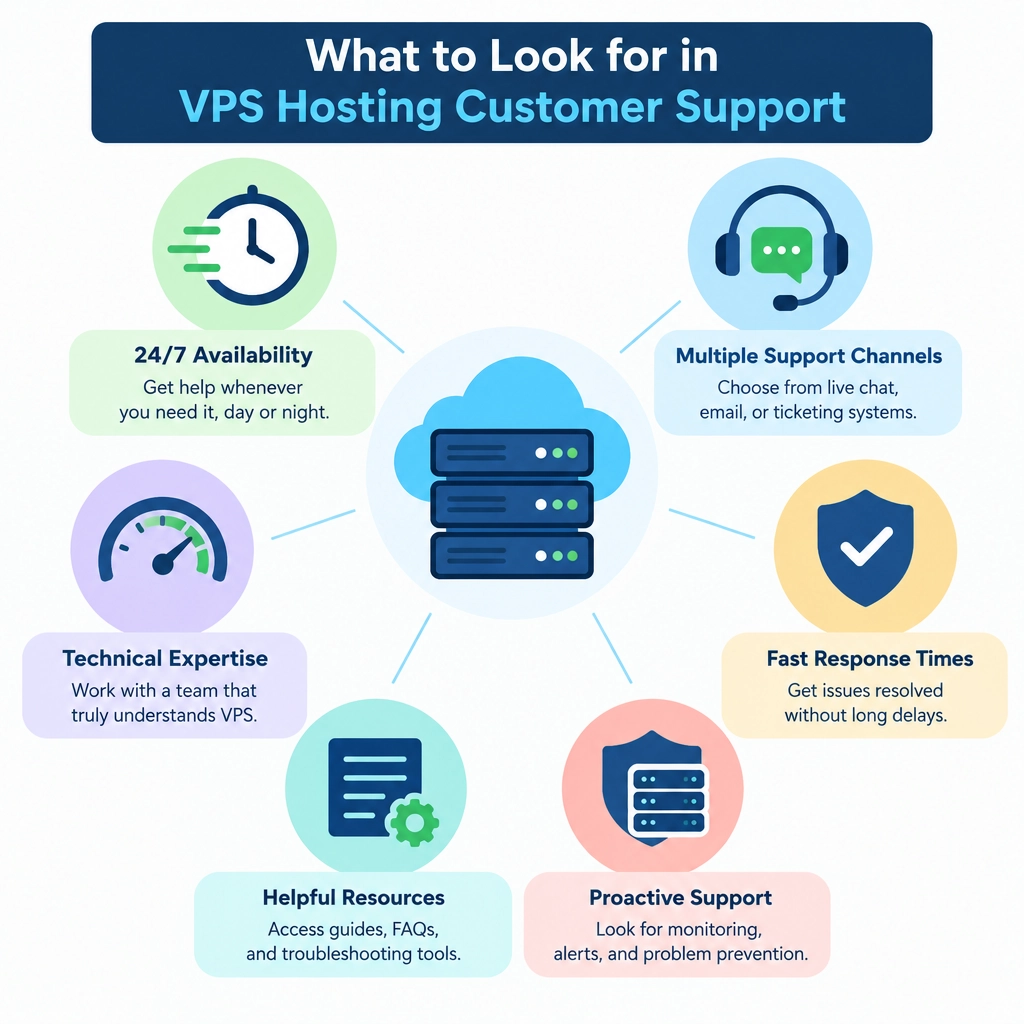
What to Look for in VPS Hosting Customer Support
A VPS gives you more control than shared hosting—but that control can come with extra responsibility. When something goes wrong, you may need help troubleshooting a server issue, restoring a backup, or figuring out whether a problem is caused by your website or the hosting environment. That’s why customer support matters just as much as processor speed, storage, or price.
Here’s what to look for before choosing a VPS provider.
Support that’s available when you need it
Server problems don’t always happen during business hours. A site can go offline at midnight, or a security alert can appear over the weekend. Look for providers that clearly explain when support is available and which channels they offer, such as live chat, phone, or support tickets.
“24/7 support” can mean different things, though. It may refer to round-the-clock monitoring rather than access to an engineer who can help with your specific issue. Check whether the provider offers live assistance at all hours, and whether urgent problems are handled differently from routine questions.
A clear distinction between managed and unmanaged help
VPS plans vary in how much server management they include. With an unmanaged VPS, the provider may maintain the underlying infrastructure but expect you to handle software installation, updates, security configuration, and troubleshooting. A managed VPS usually includes more hands-on assistance, though the exact scope differs by company.
Before signing up, ask what support will—and won’t—cover. Will staff help configure a firewall? Can they investigate a failed service or restore a backup? Do they troubleshoot application-level problems, or only issues with the physical host and network? Specific answers are more useful than a vague promise of “expert support.”
People who can explain the problem
Good VPS support is technical, but it shouldn’t feel like a test. Support agents should be able to explain what’s happening in plain language, ask relevant questions, and give you practical next steps. If an issue is beyond their scope, they should say so clearly and point you in the right direction instead of sending you in circles.
You can get a feel for this before buying. Ask a pre-sales question about backups, resource limits, or migration assistance. Notice whether the reply answers your question directly or relies on generic sales language. How a provider handles a simple inquiry can offer clues about how it will handle a stressful outage.
Realistic response and resolution expectations
Fast responses are helpful, but response time isn’t the same as resolution time. A quick automated reply may confirm that your ticket was received without fixing anything. Look for published response targets, especially for critical issues, and check whether the provider defines different priorities for outages, security incidents, and general requests.
It’s also worth reading recent customer reviews across more than one site. Look for patterns rather than focusing on a single glowing or negative comment. Repeated reports of unanswered tickets, unclear updates, or slow incident handling are more meaningful than an isolated complaint.
Useful documentation and self-service tools
Not every question needs a support ticket. Strong providers offer clear documentation, setup guides, status updates, and a knowledge base that’s easy to search. These resources are especially valuable when you’re learning to manage a VPS or need to solve a common problem quickly.
Check whether the guides are current and specific to the provider’s platform. Helpful instructions should explain prerequisites, steps, and potential risks—not just assume you already know what to do. A public server-status page is another useful feature because it can help you tell whether an issue affects your VPS alone or the wider network.
Honest communication during an incident
When your server is down, regular updates matter. A dependable support team should acknowledge the issue, explain what it knows, and tell you when to expect another update—even if the fix is still in progress. Providers can’t prevent every outage, but clear communication can make a difficult situation much easier to manage.
Match support to your own experience
The right support level depends on what you can handle yourself. If you’re comfortable with Linux administration, an unmanaged VPS and solid documentation may be enough. If your business depends on the server and you don’t have in-house technical help, paying more for managed support could be a sensible investment.
Before choosing a plan, compare the support scope, hours, channels, and response expectations—not just the monthly price. A VPS is only as useful as your ability to keep it running, and reliable support can make the difference between a brief hiccup and a long, costly interruption.
Welcome to DediRock, your trusted partner in high-performance hosting solutions. At DediRock, we specialize in providing dedicated servers, VPS hosting, and cloud services tailored to meet the unique needs of businesses and individuals alike. Our mission is to deliver reliable, scalable, and secure hosting solutions that empower our clients to achieve their digital goals. With a commitment to exceptional customer support, cutting-edge technology, and robust infrastructure, DediRock stands out as a leader in the hosting industry. Join us and experience the difference that dedicated service and unwavering reliability can make for your online presence. Launch our website.