
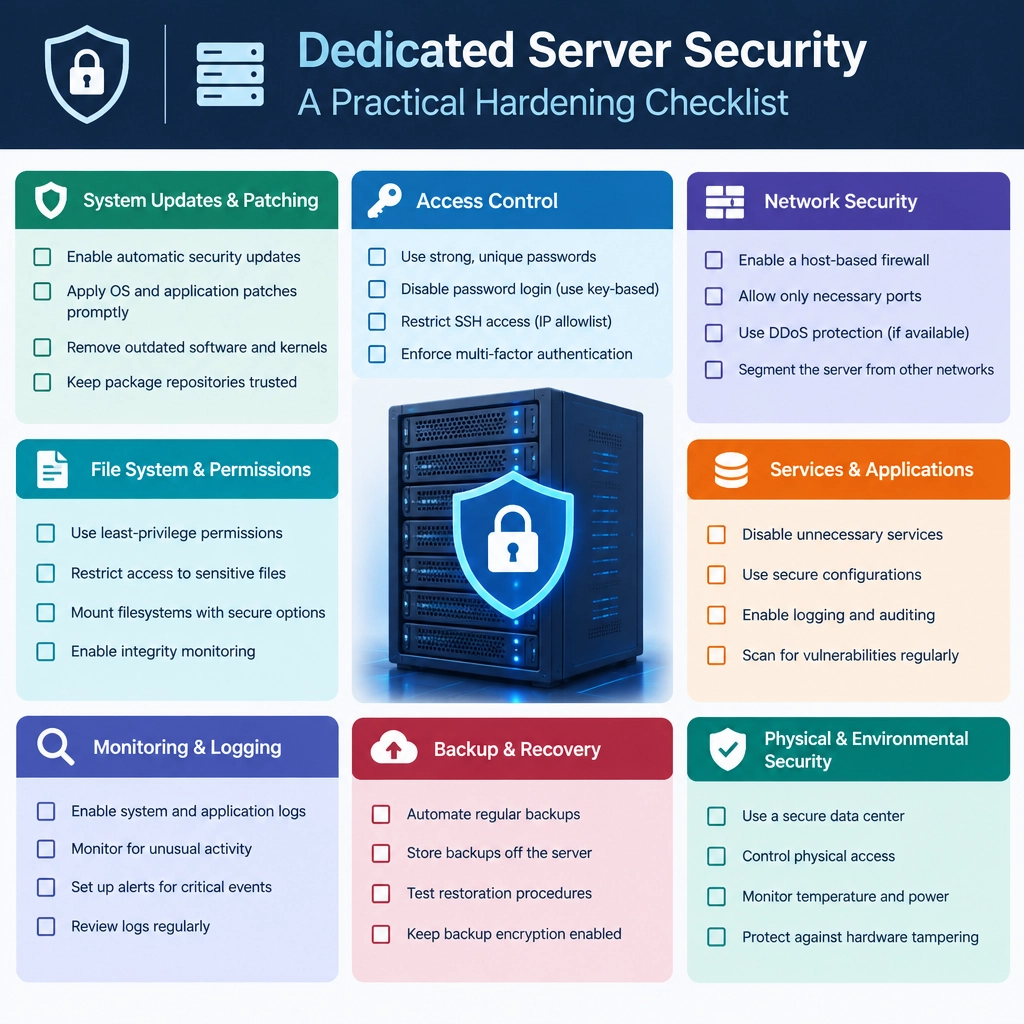
Dedicated Server Security: A Practical Hardening Checklist
A dedicated server gives you control over the hardware, operating system, and services running on it. That flexibility is powerful—but it also means security is largely your responsibility. A strong setup doesn’t depend on one magic tool. It comes from several sensible layers, maintained consistently.
Use this checklist as a starting point, then adapt it to your server’s operating system, workload, and risk level.
1. Start with a clean, supported system
Install a current, supported operating system from a trusted source. Avoid keeping default images, sample applications, or services you don’t need. Every extra component can create another route for attackers.
Before putting the server online:
- Apply operating-system and firmware updates.
- Remove unused packages and disable unnecessary services.
- Set the correct time zone and configure time synchronization.
- Document what the server is meant to run—and what should not be running.
A minimal installation is easier to understand and easier to protect.
2. Secure administrator access
Remote administration is often a high-value target. If you use SSH, disable direct root login and create a separate account with administrative privileges. Prefer SSH keys over passwords, and protect private keys with a passphrase.
Also consider:
- Disabling password-based SSH login once key access is tested.
- Restricting SSH access to trusted IP addresses or a VPN, where practical.
- Changing the default SSH port only as a minor noise-reduction measure—not as a substitute for real controls.
- Using multi-factor authentication for provider control panels and other management accounts.
Keep a working recovery route before changing access settings. A small firewall or SSH mistake can lock out even a legitimate administrator.
3. Configure a default-deny firewall
Allow only the traffic the server actually needs. For example, a web server may need inbound HTTP and HTTPS, while database access should usually remain private.
Review rules in both places: the operating-system firewall and any firewall or security group offered by your hosting provider. They can behave differently, and one may leave a service exposed even when the other appears locked down.
After setting rules, test from outside the server. Confirm that expected services are reachable and unexpected ports are not.
4. Patch promptly—and predictably
Outdated software is a common source of compromise. Turn on automatic security updates if they fit your environment, or establish a regular patch schedule with an owner responsible for it.
Don’t update blindly on critical production systems. Test important changes where possible, keep backups, and plan maintenance windows for reboots. But don’t let testing become an excuse to postpone security fixes indefinitely.
Remember to update more than the operating system: web servers, application runtimes, control panels, container images, and third-party tools all need attention.
5. Protect applications and secrets
A hardened server can still be compromised through a vulnerable application. Remove demo pages, enforce strong authentication, validate inputs, and keep application dependencies current.
Treat credentials and API keys as sensitive data:
- Don’t store secrets in public repositories or web-accessible directories.
- Use environment-specific credentials with only the permissions required.
- Rotate secrets if they may have been exposed.
- Avoid sharing one administrative account across people or services.
Run applications with dedicated, unprivileged system accounts rather than as root.
6. Prepare for failure and recovery
Backups are part of security. They help you recover from hardware failures, accidental deletion, ransomware, and destructive configuration changes. Keep multiple copies, store at least one separately from the server, and restrict who can alter or delete them.
Most importantly, test restores. A backup that has never been restored is only a possibility, not a proven recovery plan.
7. Monitor and review
Enable useful system and application logs, and make sure they won’t silently fill the disk. Monitor failed logins, unexpected service changes, resource spikes, and backup status. Alerts should go somewhere someone actually checks.
Review accounts, firewall rules, listening ports, and installed software periodically. Remove old users and credentials when they’re no longer needed. A short monthly review can catch changes that were easy to overlook during setup.
A security checklist is a habit, not a finish line
No dedicated server can be made perfectly secure, and hardening isn’t a one-time task. The practical goal is to reduce unnecessary exposure, limit what an attacker could do, and make problems easier to detect and recover from. Start with the basics—minimal software, restricted access, prompt updates, reliable backups—and revisit them as the server and its purpose evolve.
Welcome to DediRock, your trusted partner in high-performance hosting solutions. At DediRock, we specialize in providing dedicated servers, VPS hosting, and cloud services tailored to meet the unique needs of businesses and individuals alike. Our mission is to deliver reliable, scalable, and secure hosting solutions that empower our clients to achieve their digital goals. With a commitment to exceptional customer support, cutting-edge technology, and robust infrastructure, DediRock stands out as a leader in the hosting industry. Join us and experience the difference that dedicated service and unwavering reliability can make for your online presence. Launch our website.