
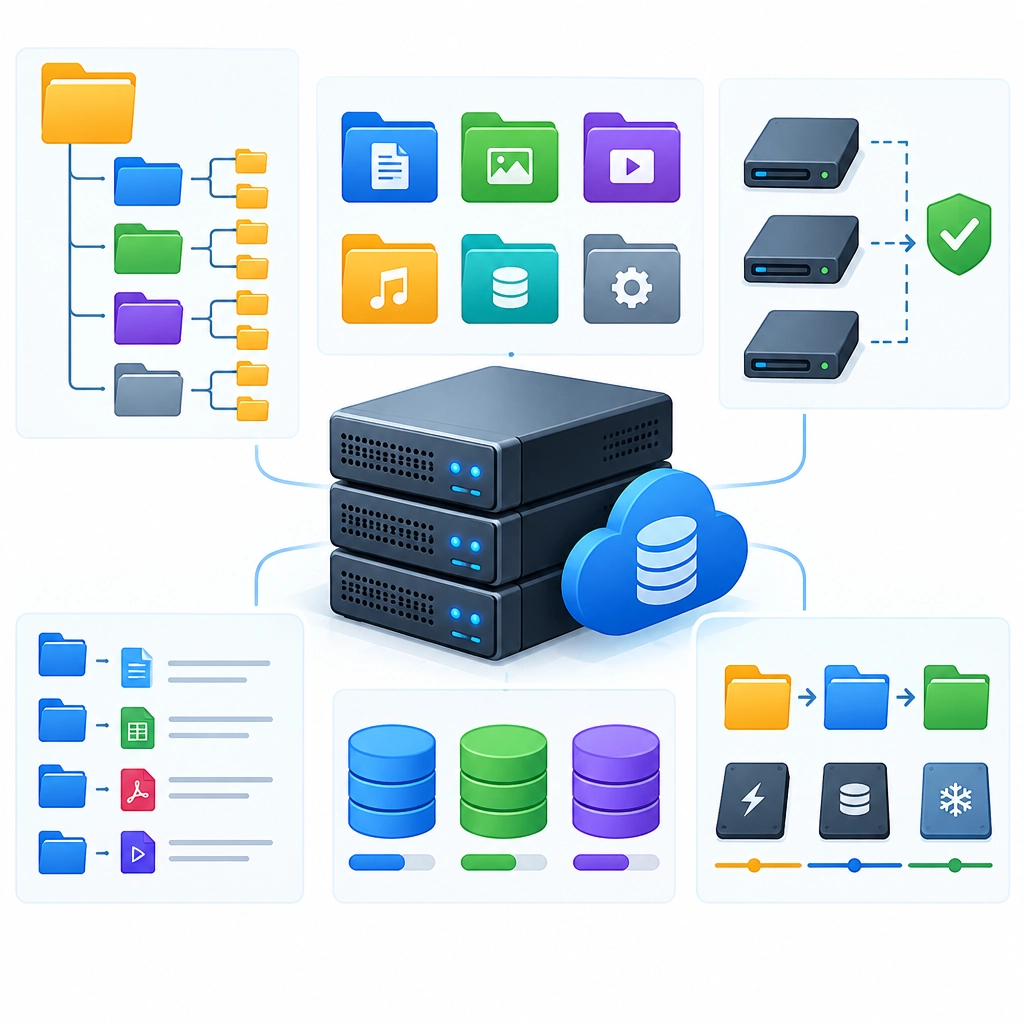
The Best Ways to Organize Data on a Storage VPS
A storage VPS can hold backups, media libraries, project files, databases, and all the little odds and ends that accumulate over time. But extra capacity alone doesn’t make files easy to manage. Without a clear system, a server can quickly become a maze of scattered folders, duplicate files, and backups whose contents are anyone’s guess.
A few simple habits can make your storage VPS easier to use, safer to maintain, and much less stressful to troubleshoot.
Start with a Purposeful Folder Structure
Create a top-level layout that reflects how you use the server. For example:
/data
  /backups
  /media
  /projects
  /shared
  /archive
Keep categories distinct. Application data, personal files, and system backups shouldn’t all live in one general-purpose folder. Separating them makes it easier to set permissions, apply backup rules, and find what you need.
Within each category, use a consistent naming pattern. A project might be organized by client and year, while backups might be grouped by server or application. Avoid vague folder names such as misc, new, or stuff; they tend to become permanent dumping grounds.
Use Names That Make Sense Later
A useful filename explains what a file is without requiring you to open it. Include relevant details such as the project, date, version, or file type:
website-db-2026-10-24.sql.gz
For dates, use the YYYY-MM-DD format. It sorts chronologically and avoids confusion between formats like 10-11-26. Pick one naming convention and apply it consistently, especially for automated backups.
Try not to rely on names like final, final2, and really-final. If you need versions, use numbers or dates so it’s clear which copy is newest.
Separate Active Files from Archives
Files you use regularly should be easy to reach. Older projects and completed backups can be moved into an archive area, where they remain available without cluttering active directories.
For example:
/projects/active
/projects/completed
/archive/2024
/archive/2025
Archiving doesn’t necessarily mean compressing everything or moving it somewhere else. It simply means making a deliberate distinction between current work and material you’re keeping for reference. Review archives occasionally and remove files you no longer need, while being careful to preserve anything subject to legal, business, or personal retention requirements.
Choose Storage Locations with Care
On a Linux VPS, directories such as /home, /var, and /srv have common conventions. Using them thoughtfully can make your setup easier to understand and maintain. For instance, application-managed data may belong under /var/lib, while files served by a web application may be better placed under /srv.
If you attach a separate storage volume, mount it at a clear location such as /mnt/storage or /data. Check that it mounts automatically after a reboot, and avoid storing important files in temporary directories that may be cleared by the system.
Also keep an eye on available space. A simple command like df -h shows filesystem usage, while tools such as du -sh /data/* can help identify which directories are consuming the most room.
Protect Data with Permissions
Good organization includes deciding who—or what—can access each folder. Don’t make everything publicly readable or writable just because it’s convenient. Give users and services only the access they need, and keep sensitive files, credentials, and private backups restricted.
For shared folders, set ownership and permissions intentionally so that applications can write where necessary without granting broad access to the entire server. If multiple people use the VPS, separate their data or use groups rather than relying on a single shared account.
Make Backups Understandable—and Test Them
A backup is useful only if you can identify it and restore it. Store backups separately from the data they protect when possible, and label them with the source, content, and date. Keep more than one generation so an unnoticed problem doesn’t overwrite your only good copy.
Most importantly, test a restore from time to time. A directory full of backup files can look reassuring, but only a successful recovery proves the files are usable. If the data is important, keep another copy off the VPS as well; a server’s storage and its backups can be affected by the same failure.
Add a Little Automation
Small scripts can create dated folders, rotate old backups, or report low disk space. Automation reduces repetitive work, but keep it transparent: document what each task does, where it writes files, and when it removes old data. Before scheduling cleanup jobs, test them on sample files to avoid accidental deletion.
A well-organized storage VPS doesn’t need an elaborate system. A clear folder structure, consistent names, sensible permissions, and tested backups go a long way. Build a setup you can understand at a glance, and future you will spend less time searching—and more time using the data you stored in the first place.
Welcome to DediRock, your trusted partner in high-performance hosting solutions. At DediRock, we specialize in providing dedicated servers, VPS hosting, and cloud services tailored to meet the unique needs of businesses and individuals alike. Our mission is to deliver reliable, scalable, and secure hosting solutions that empower our clients to achieve their digital goals. With a commitment to exceptional customer support, cutting-edge technology, and robust infrastructure, DediRock stands out as a leader in the hosting industry. Join us and experience the difference that dedicated service and unwavering reliability can make for your online presence. Launch our website.