
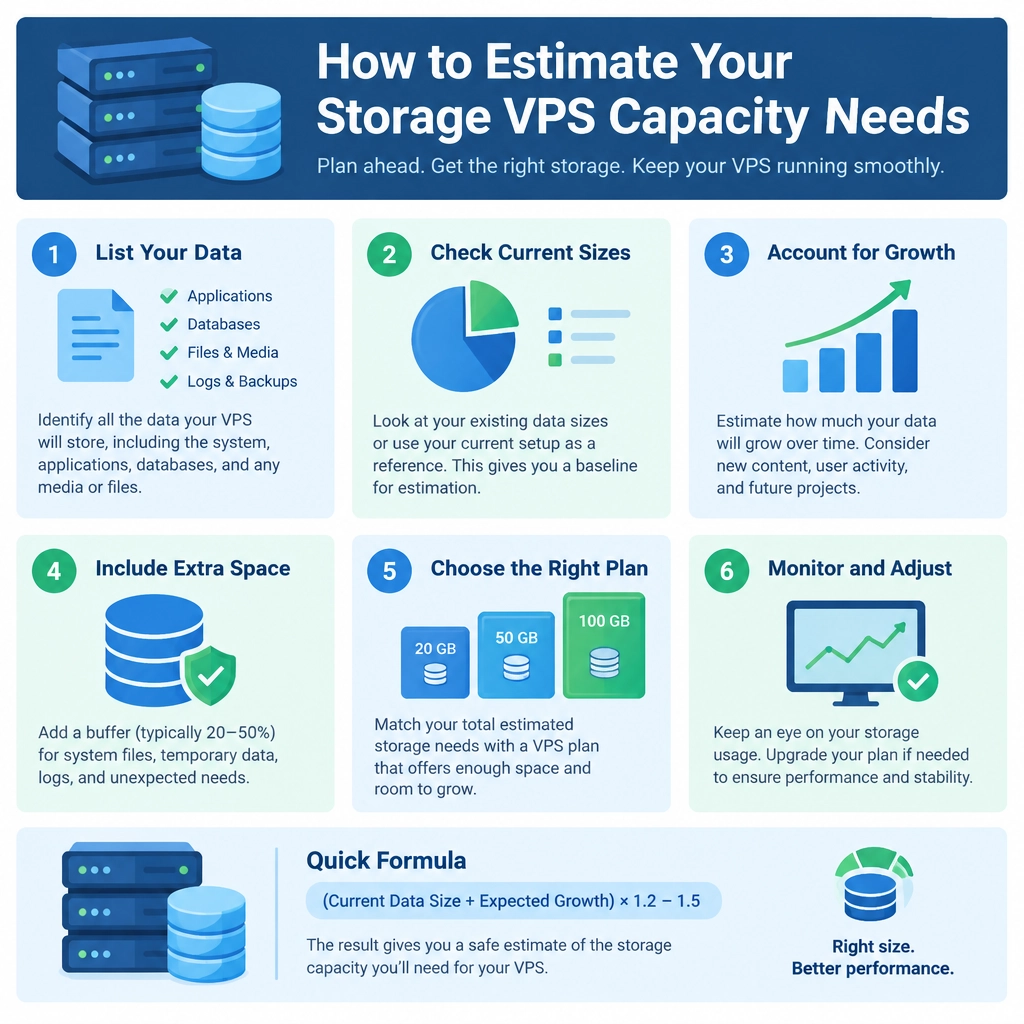
How to Estimate Your Storage VPS Capacity Needs
Choosing a storage VPS can feel like a guessing game. Pick too little space and you may run out sooner than expected; pick far more than you need and you could pay for capacity that sits unused. A simple estimate—based on what you store, how fast it grows, and how much room your system needs—can help you find a sensible starting point.
Start with what you have now
Make a list of the data you plan to keep on the VPS. Depending on your use case, that might include:
- Website files, databases, and uploaded media
- Backups and archived files
- Video, audio, or other large media
- Application logs and temporary files
- Containers, virtual machines, or development environments
If you’re moving data from another server, check its current disk usage rather than relying on the total size of its drive. On Linux, commands such as df -h show filesystem usage, while du -sh /path/to/folder can help measure a particular directory. Remember to check all relevant disks and directories, not just the one holding your website.
Also note whether the figures reflect actual stored data or allocated space. Some applications reserve disk space in advance, and sparse files can appear larger than the space they occupy.
Estimate how quickly your data will grow
Your current usage is only a snapshot. Think about how often you add files and how long you expect to keep them.
For a website, growth may come from new uploads, database records, and logs. A backup server might grow by one full backup per week, while a media server could gain several gigabytes each day. If you have usage reports, compare them over a few months to estimate a real growth rate.
A basic projection looks like this:
Future storage = current usage + (average monthly growth × number of months)
For example, if you currently use 120 GB and add about 15 GB per month, a one-year estimate is 120 + (15 × 12), or 300 GB. The estimate doesn’t need to be perfect—it just gives you a more useful baseline than choosing a plan based on today’s usage alone.
Account for backups and retention
Backups are often the biggest reason a seemingly roomy VPS fills up. If you keep several copies of the same data, count those copies separately.
Suppose your working data occupies 100 GB and you retain four full backups on the same VPS. That could require roughly 400 GB just for the backups, before accounting for the live data or other files. Incremental backups may use less, but their size depends on how much changes between backup runs and how your backup software handles retention.
Whenever possible, store important backups somewhere separate from the VPS. A second server, object storage, or an offline copy can protect you if the VPS or its provider has a problem. More disk space on one machine is useful, but it isn’t the same as an independent backup.
Leave room for the operating system and overhead
The advertised disk size isn’t always the amount available for your files. The operating system, installed software, filesystem metadata, swap space, logs, and temporary working files all take room. Some providers also reserve part of the disk or report capacity differently.
As a practical starting point, avoid planning to use every available gigabyte. Keeping about 15–25% free gives you breathing room for updates, temporary files, unexpected growth, and maintenance tasks. Systems that handle large uploads, databases, or video processing may need more working space.
It’s also worth checking the storage type and performance. A large disk with slow input/output may not suit a busy database, while a smaller, faster disk may perform better for application workloads. Capacity matters, but so do speed, reliability, and backup options.
Make a plan for growth
After adding up current data, projected growth, backups, and overhead, choose a VPS size that comfortably covers the result. If your provider makes upgrades straightforward, you can start closer to your estimate and expand as needed. If resizing is difficult—or downtime would be costly—leave a larger buffer from the outset.
Once the VPS is running, monitor disk usage regularly. Set an alert before storage reaches a critical level, such as when usage passes 75 or 80 percent. A quick monthly check can reveal whether your original estimate was realistic and give you time to adjust.
The best storage plan isn’t necessarily the biggest one. It’s the one that fits your current workload, leaves room for healthy growth, and keeps important data protected.
Welcome to DediRock, your trusted partner in high-performance hosting solutions. At DediRock, we specialize in providing dedicated servers, VPS hosting, and cloud services tailored to meet the unique needs of businesses and individuals alike. Our mission is to deliver reliable, scalable, and secure hosting solutions that empower our clients to achieve their digital goals. With a commitment to exceptional customer support, cutting-edge technology, and robust infrastructure, DediRock stands out as a leader in the hosting industry. Join us and experience the difference that dedicated service and unwavering reliability can make for your online presence. Launch our website.