
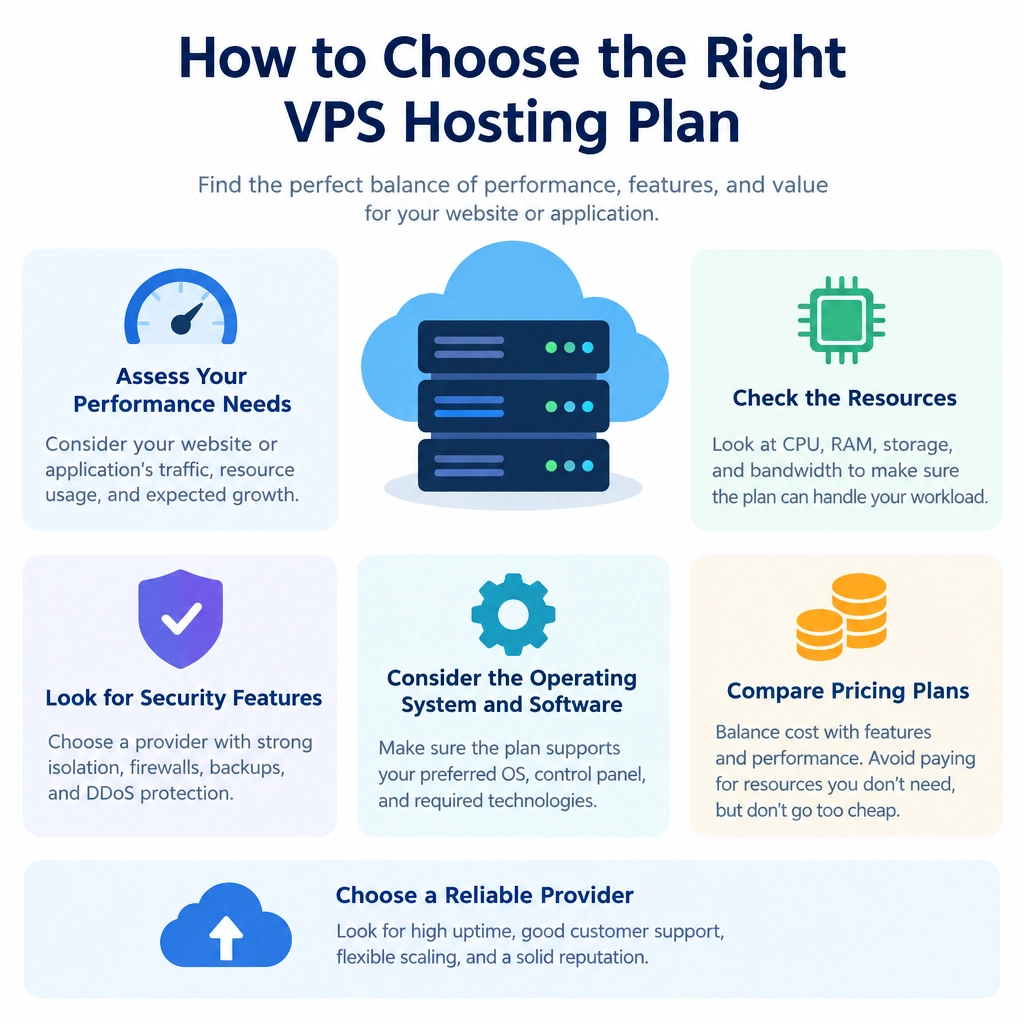
How to Choose the Right VPS Hosting Plan
Choosing a virtual private server (VPS) can feel like picking a laptop from a wall of nearly identical models. Every plan promises speed, flexibility, and “scalable resources”—but which one actually fits your website?
The right VPS depends less on the biggest number in a pricing table and more on what you’re running, how much traffic you expect, and how comfortable you are managing a server. Here’s how to sort through the options without paying for capacity you won’t use—or choosing a plan that buckles under pressure.
Start With What You’re Hosting
Make a quick inventory of your needs. A small business website, a busy online store, a development environment, and a game server all put different demands on a VPS.
Think about:
- Your applications: What software will the server run, and what does it recommend?
- Traffic patterns: Do you have steady visits or occasional spikes?
- Storage needs: Are you hosting mostly web pages, large media files, databases, or backups?
- Growth plans: Are you expecting a launch, campaign, or expanding customer base?
If you’re moving from shared hosting, your current usage is a helpful starting point—but not a perfect forecast. Look at resource-usage reports if your provider offers them, and consider whether slowdowns are caused by limited resources or something else, such as inefficient code or a poorly configured database.
Match the Resources to the Workload
VPS plans commonly list CPU cores, RAM, storage, and bandwidth. Each plays a different role.
RAM is often the first bottleneck for applications that run databases, content-management systems, or multiple services. Too little can lead to sluggish performance or processes being stopped. CPU matters for computation-heavy tasks and handling concurrent requests. Storage affects how much data you can keep, while storage type and speed influence how quickly the server can read and write it. SSD or NVMe storage is generally a good choice for responsive websites and databases.
Bandwidth is the amount of data your server can transfer. A content-heavy site with lots of images or downloads may need more than a simple brochure site. Check whether the provider sets a transfer limit, charges overages, or slows connections after a threshold.
Avoid choosing a plan solely because it has the highest CPU count or the lowest advertised price. A balanced configuration—and a clear understanding of whether listed resources are dedicated or shared—can matter more.
Decide How Much Server Management You Want
One of the biggest differences between VPS plans is who handles server administration.
With an unmanaged VPS, you’re typically responsible for installing software, applying updates, configuring security, and troubleshooting problems. This offers flexibility and can cost less, but it works best if you have the time and skills to maintain a server.
A managed VPS usually includes some level of provider support for routine maintenance and technical issues. “Managed” can mean different things from one company to another, so check exactly what’s included. Does the provider handle operating-system updates, backups, monitoring, or security fixes? Is support available around the clock, and what counts as an emergency?
If your website is important to your business and you don’t have an administrator, paying more for meaningful management may be cheaper than dealing with avoidable downtime.
Check Reliability, Security, and Support
A good plan is more than a bundle of resources. Look for a provider with a strong uptime record, dependable network performance, and clear service terms. Read the details behind any uptime guarantee: it may offer account credits, but that doesn’t necessarily compensate for lost sales or a disrupted launch.
Security also deserves attention. Check whether the provider offers firewalls, DDoS protection, private networking, and automated backups. Backups should be stored separately from the server when possible, and you should know how quickly you can restore them. Even with provider backups, keep an independent copy of critical data.
Before signing up, test the support team with a practical question. A quick, useful response can tell you a lot about the help you’ll receive when something goes wrong.
Compare the Real Cost—and Plan for Change
The introductory price may not be the long-term price. Check renewal rates, setup fees, backup charges, extra storage costs, and fees for exceeding bandwidth limits. Also review the provider’s upgrade options. Can you add RAM or storage without migrating everything? Are there predictable paths to a larger plan?
When possible, start with a sensible midrange plan rather than paying upfront for a server sized for your most optimistic traffic forecast. Monitor CPU, memory, storage, and response times after launch, then upgrade when the data shows you need to.
A VPS should give your project room to grow without adding complexity or cost you don’t need. Choose the plan that fits your actual workload, matches your technical comfort level, and comes with support you can rely on. The best option isn’t necessarily the most powerful one—it’s the one that keeps your site running smoothly while letting you focus on what you’re building.
Welcome to DediRock, your trusted partner in high-performance hosting solutions. At DediRock, we specialize in providing dedicated servers, VPS hosting, and cloud services tailored to meet the unique needs of businesses and individuals alike. Our mission is to deliver reliable, scalable, and secure hosting solutions that empower our clients to achieve their digital goals. With a commitment to exceptional customer support, cutting-edge technology, and robust infrastructure, DediRock stands out as a leader in the hosting industry. Join us and experience the difference that dedicated service and unwavering reliability can make for your online presence. Launch our website.